Following along? Open the live page
Finmagine — free to explore • premium for full access • no app needed
ⓘ The Discovery Hub landing page itself is open to everyone. Individual tabs gate further: Feed and Find Ideas need a free login and a watchlist; most Run Screens presets and the full Ask AI toolset (BYO AI key, Document Search, AI Research Agent) are Premium features; Get Set Up is available to all logged-in users, checking off whichever items apply to your tier; Extend Finmagine is open to every logged-in user and only links out to the add-on and extension pages.
Multimedia Learning Hub
Master the Stock Discovery Hub through a written walkthrough, a full video tour, and interactive flashcards
What You Will Master
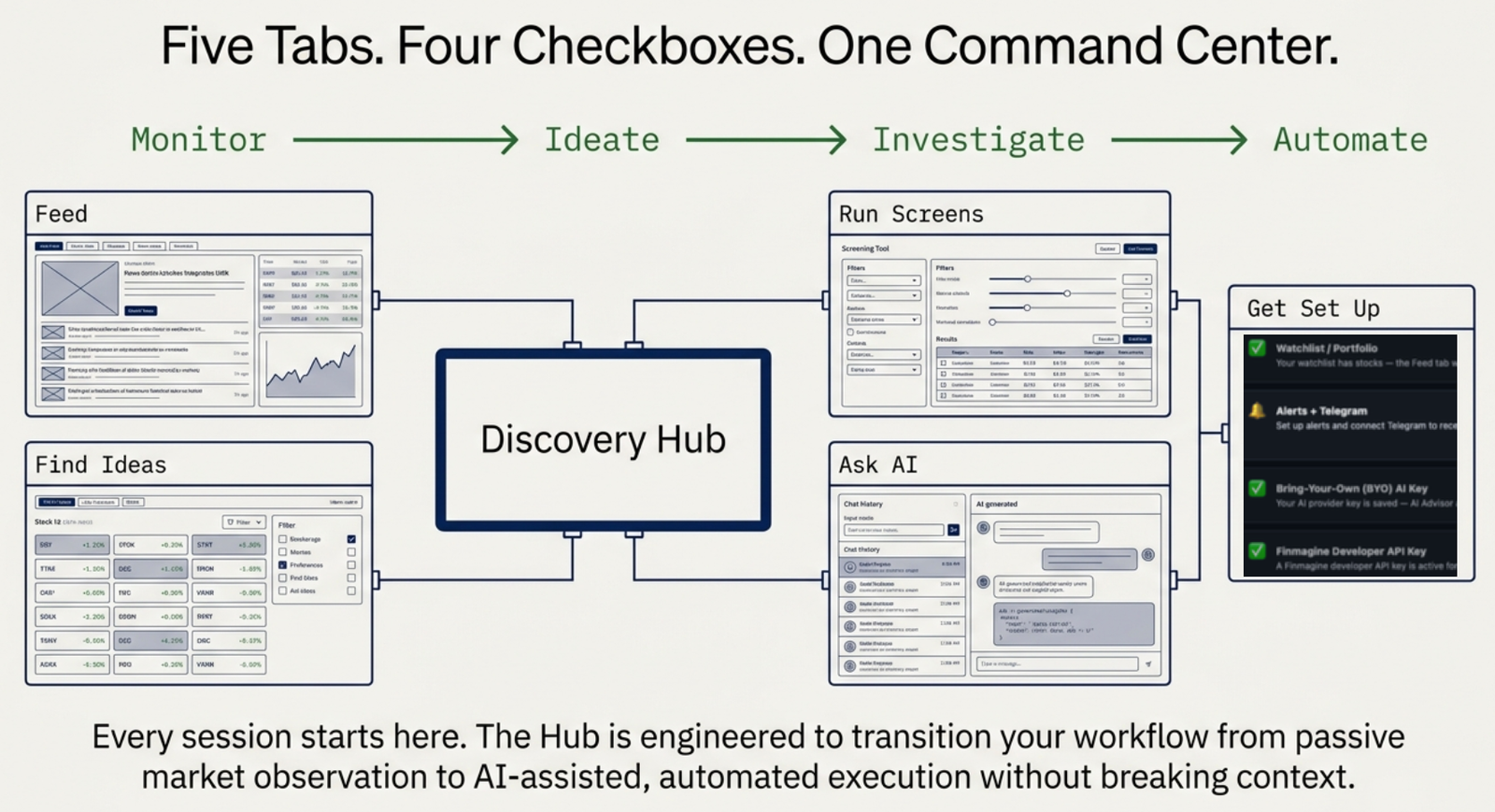
The Stock Discovery Hub is what you land on at /stock/ — the starting point for every research session on Finmagine. Six tabs take you from a live pulse on your own watchlist, through finding and screening new ideas, to AI-assisted research, account setup, and optional add-ons, all on one page.
What This Guide Covers:
- Feed — live watchlist activity: earnings, board meetings, insider trades, corporate actions
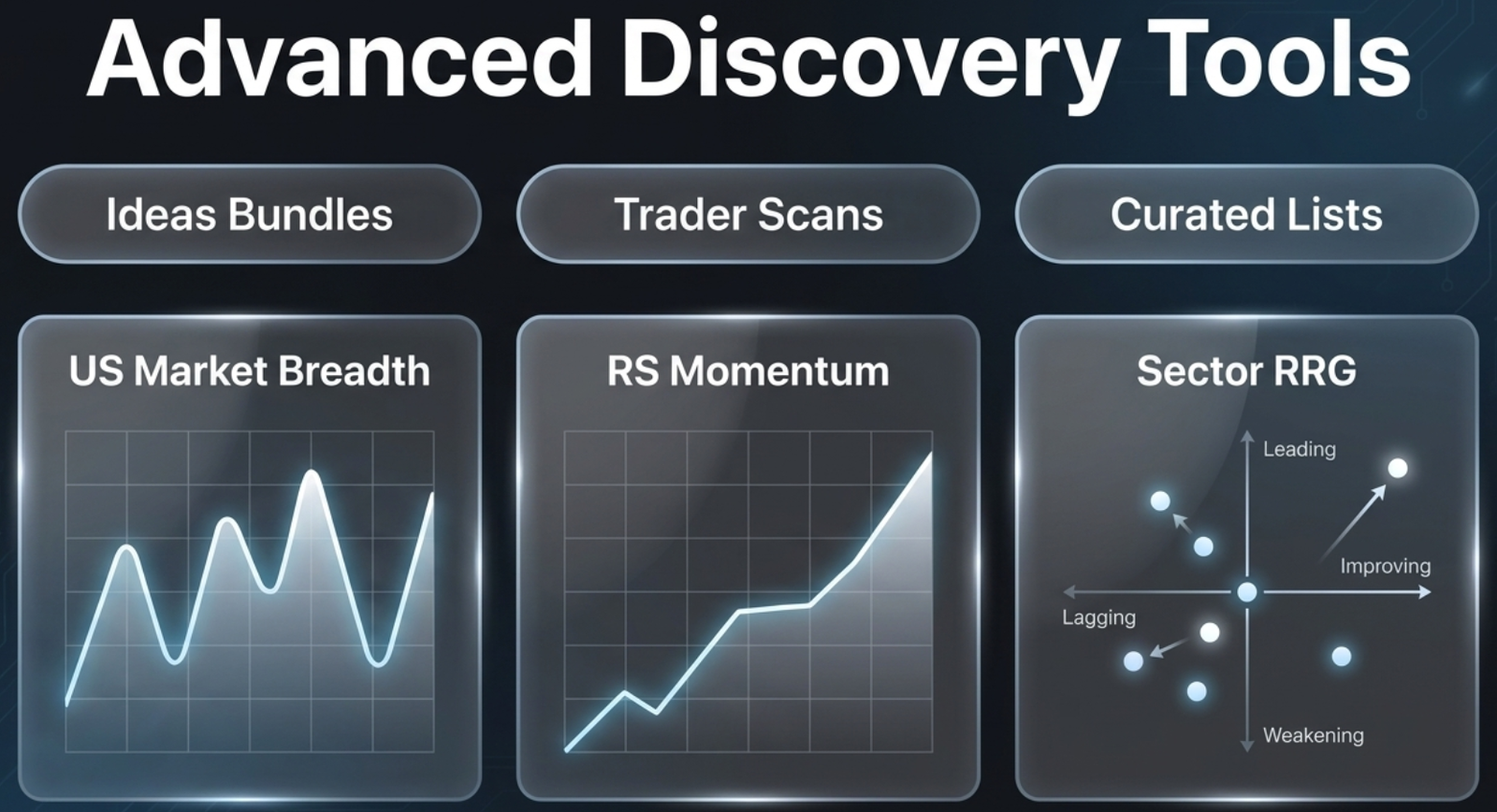
- Find Ideas — Trader Scans, Curated Lists, Momentum & Breadth tools, Strategy Lab, and Ratings & Scorecard
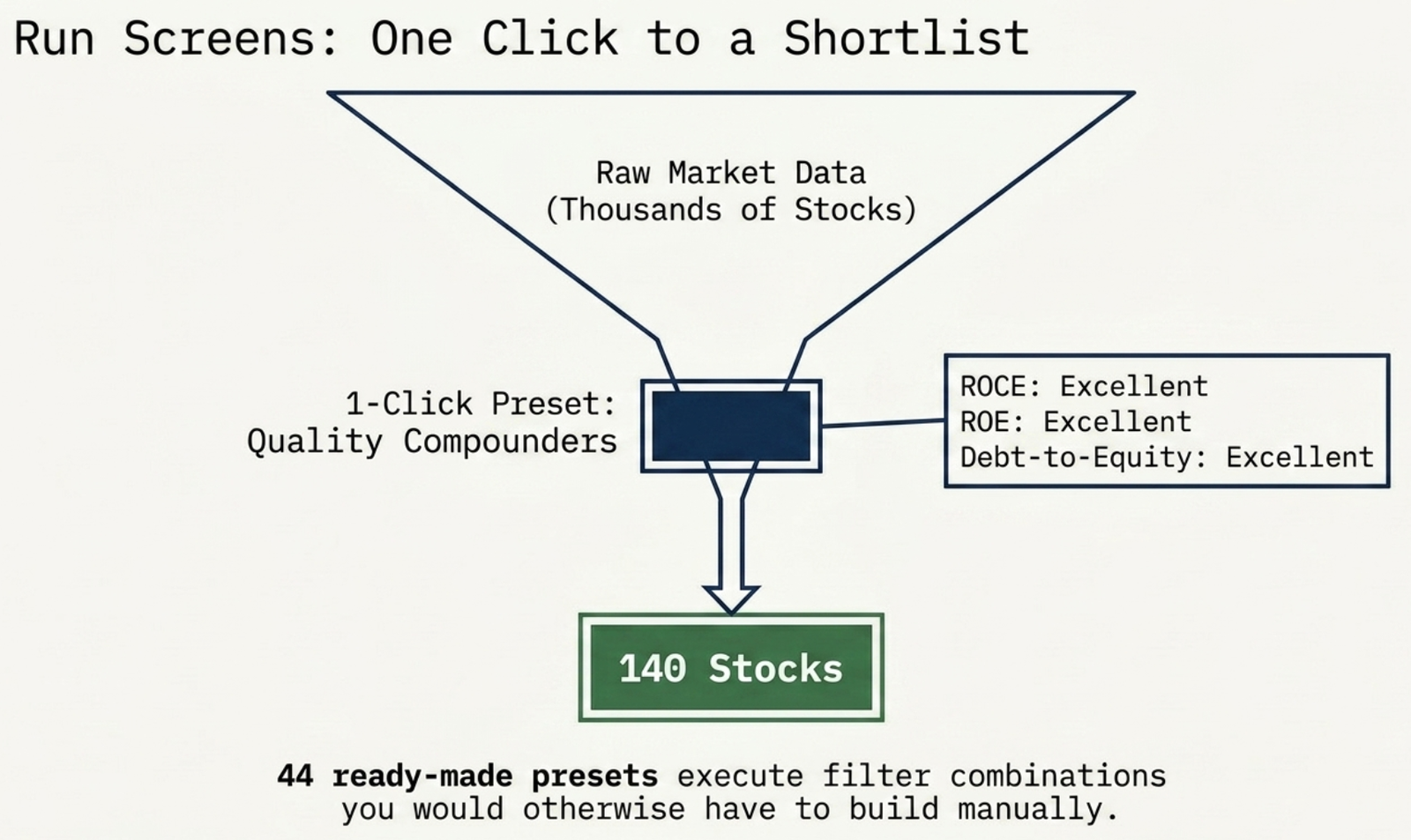
- Run Screens — 44 ready-made presets, one click to a shortlist
- Ask AI — ChatGPT/Claude connectors, Document Search, the AI Research Agent, and Ask Guides
- Get Set Up — a live checklist for watchlist, alerts and Telegram, your own AI key, and a developer API key
- Extend Finmagine — the Google Sheets add-on, the coming-soon Excel add-in, and all four Chrome extensions, in one place
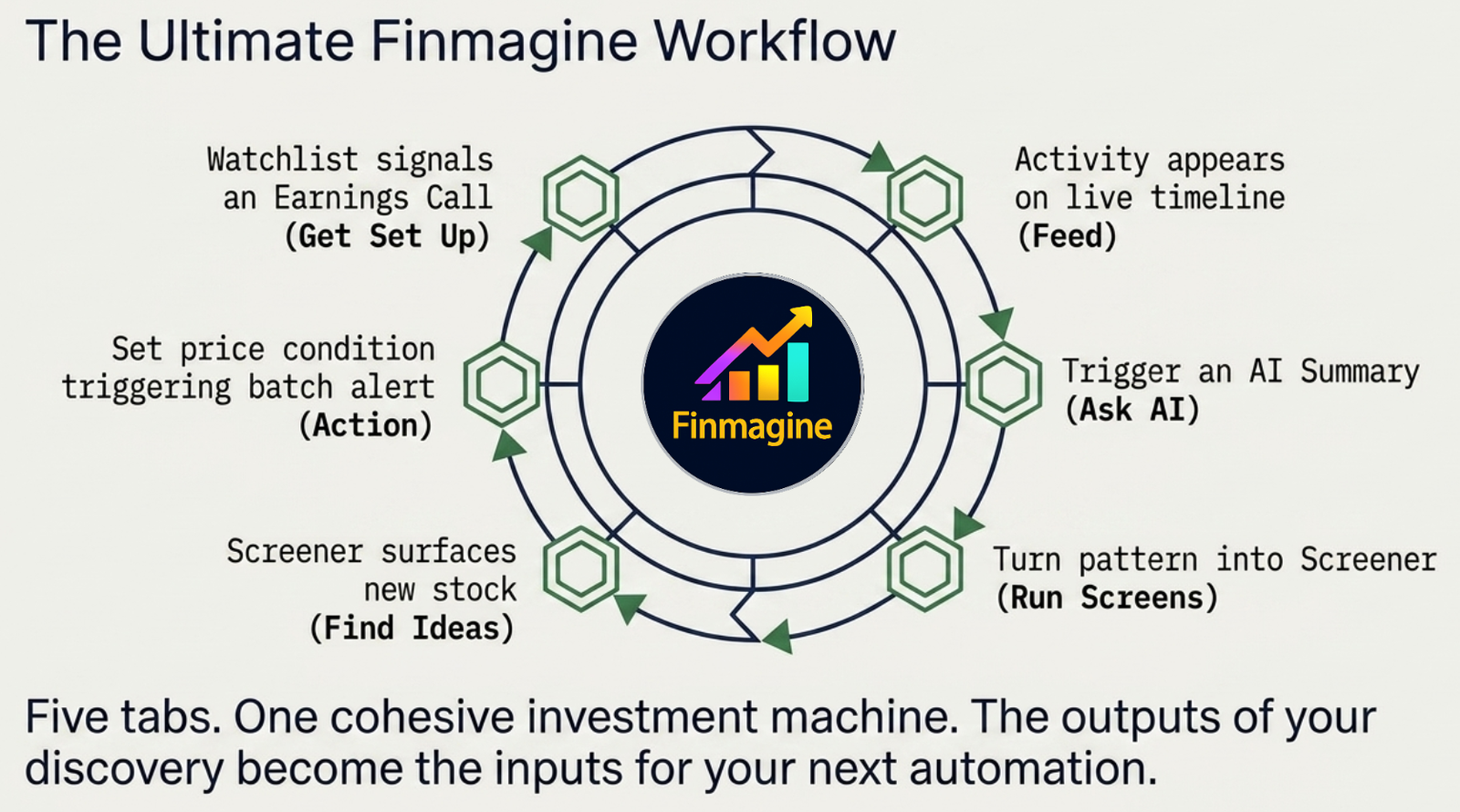
The diagram and the videos below show the original five tabs; Extend Finmagine was added afterwards (see section 6).
Video Walkthrough — The Stock Discovery Hub
A complete, real walkthrough of all five tabs — including a live look at Top Picks and the Quality Compounders screener, a real alert created on Reliance Industries, and a live key test against DeepSeek and Alpha Vantage.
- The Feed tab's live watchlist activity stream
- Find Ideas' five sections, including a live look at Top Picks
- Run Screens applying the Quality Compounders preset in real time
- Ask AI's ChatGPT/Claude setup guides, Document Search, AI Research Agent, and Ask Guides
- Get Set Up — a real alert created on Reliance Industries, a live BYO key test, and Connected Apps
Video Walkthrough — The US Stock Discovery Hub
The same Discovery Hub, now live for US markets at /us/stock/ — watchlists, curated stock ideas, market breadth, RS momentum, Sector RRG, AI research, alerts, BYO AI keys, connected apps, and developer API access, all in one workflow.
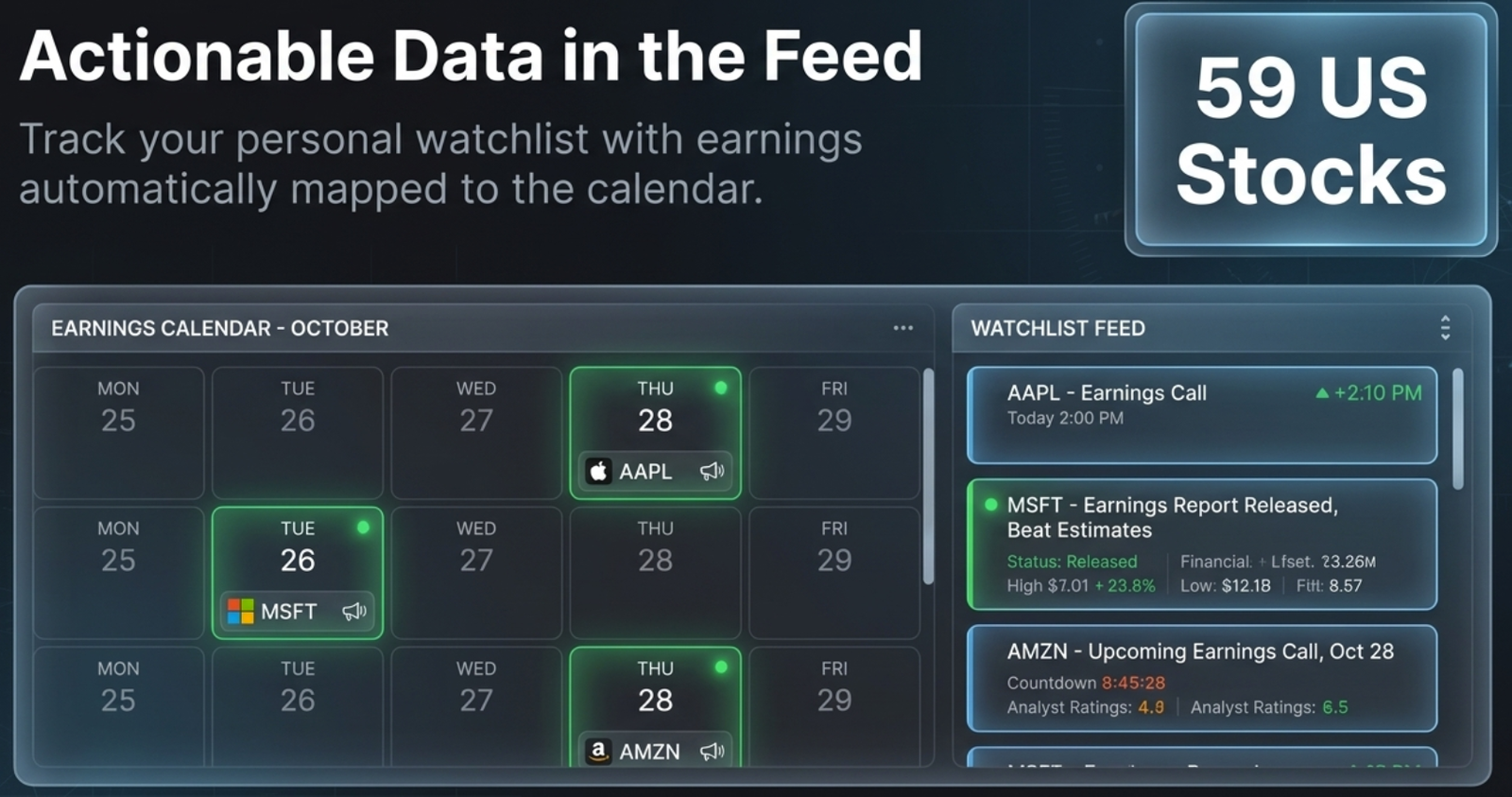
- The Feed tab tracking 59 US stocks, with earnings on the calendar for names like Apple, Microsoft, and Amazon
- Find Ideas' Trader Scans, Curated Lists, and Momentum & Breadth tools — US Market Breadth, RS Momentum, Sector RRG
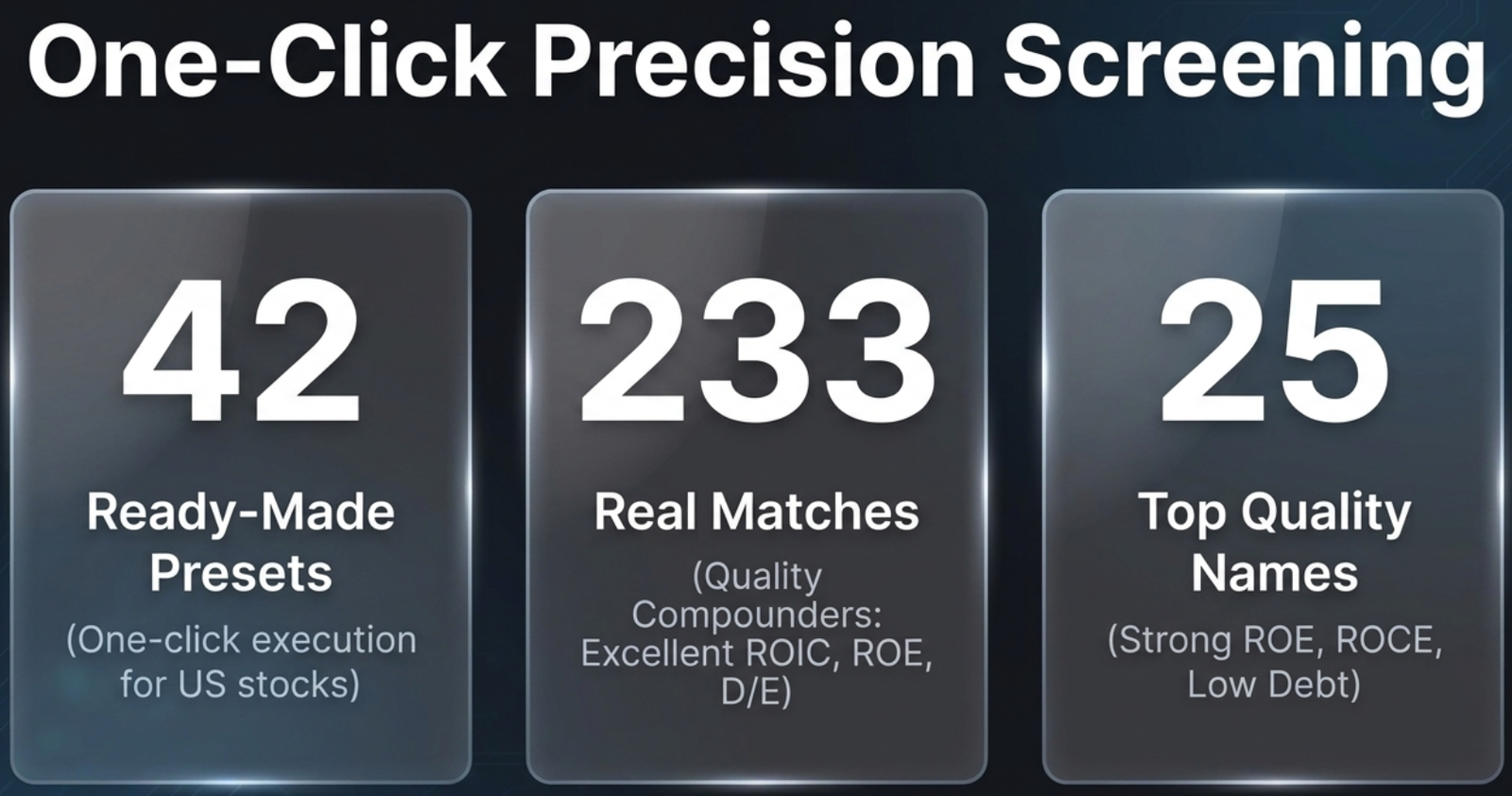
- Run Screens' 42 ready-made US presets, including Quality Compounders returning 233 real matches
- Ask AI connecting natively to ChatGPT and Claude, plus Document Search across US earnings call transcripts and a grounded AI Research Agent
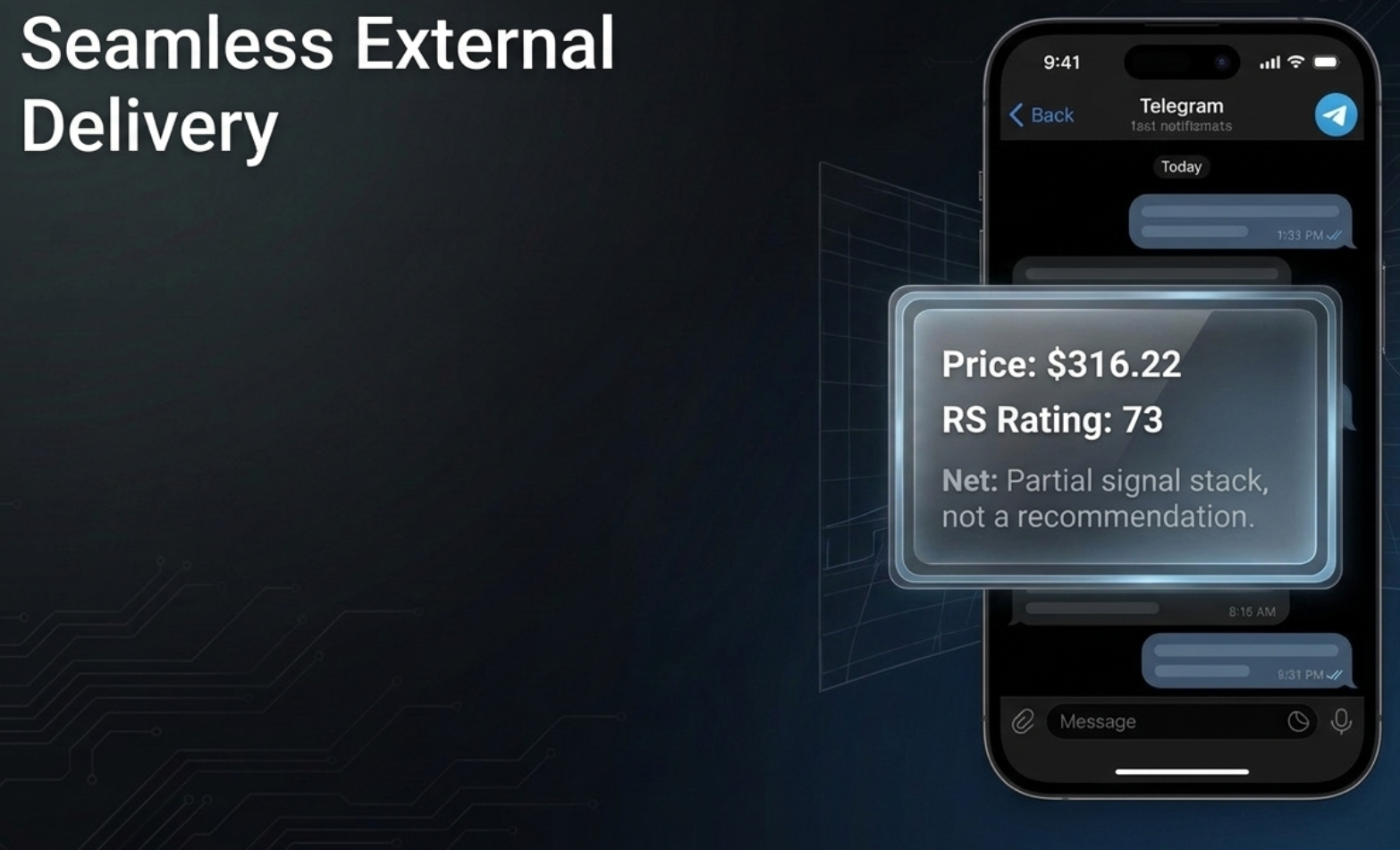
- A real Apple price alert created live (below $200) and delivered to Telegram with the real price, real RS Rating, and Finmagine's built-in disclaimer
- Manage Key (DeepSeek, Gemini, Groq, OpenRouter, Alpha Vantage), Connected Apps, and the Developer Portal — confirmed working for US markets from the very first tab
Test Your Knowledge
Click any card to reveal the answer. Use the search box to find a specific topic.
1. Feed — Your Watchlist's Live Pulse
The Feed tab is what loads first. It's a real-time activity stream aggregating every material event across all stocks in your watchlist — earnings filings, board meeting outcomes, insider trades, SAST disclosures, bulk deals, and promoter pledging changes — with a stats bar (Total / Announcements / Insider / SAST / Deals / Corp Actions) and an Upcoming events sidebar.
2. Find Ideas — Five Ways to Surface a New Candidate
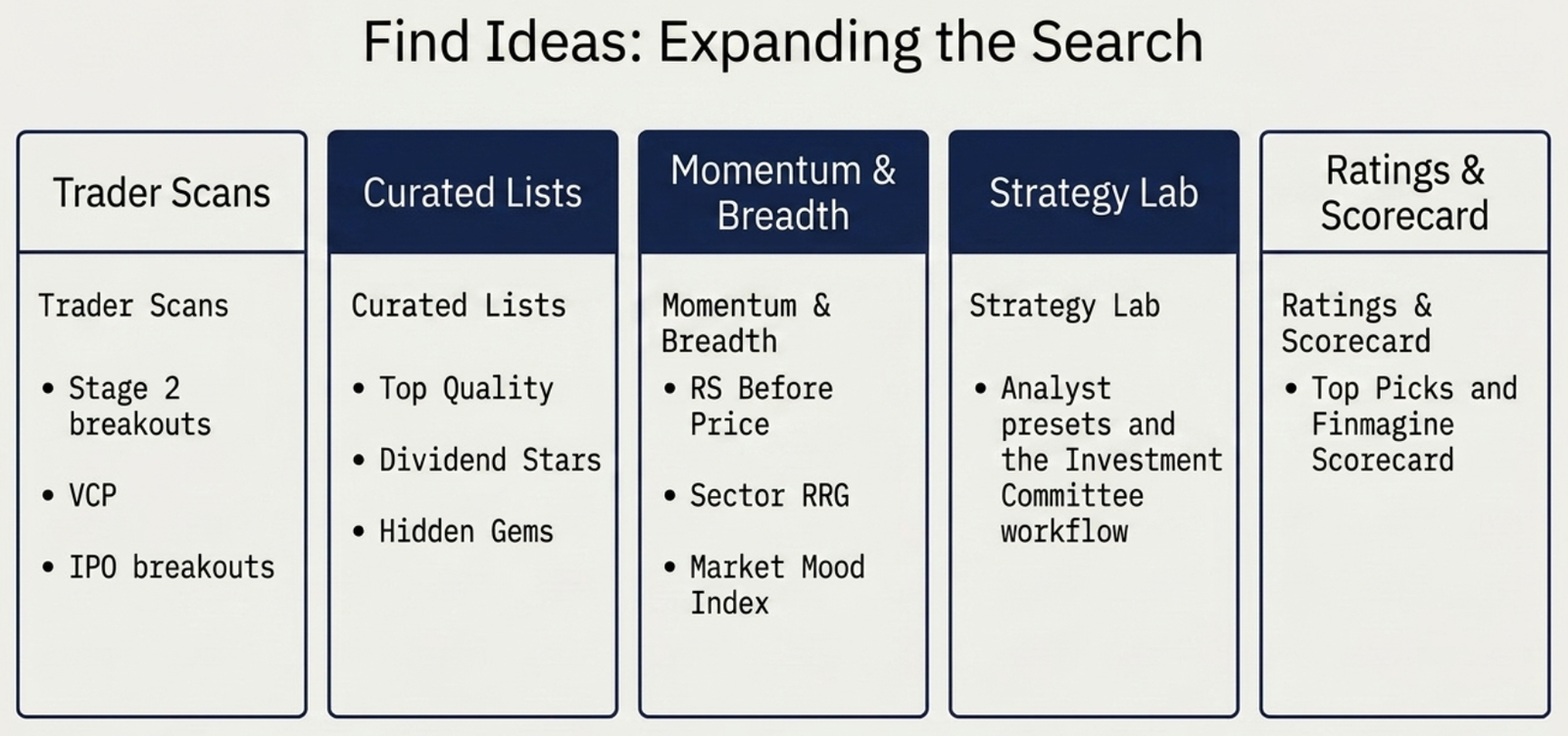
Need a new idea instead of watching one you already have? Find Ideas groups every discovery tool on the platform into five sections:
| Section | What it's for |
|---|---|
| Trader Scans | Momentum setups — Stage 2 breakouts, near-52-week-high, high volume, VCP breakout, IPO breakout, BRS score, Momentum Streaks |
| Curated Lists | Top Quality, Momentum, Dividend Stars, Hidden Gems, fundamental Scans, Quarterly Results, Past Winners |
| Momentum & Breadth | Market Breadth, RS Before Price, RS Momentum, Conviction, Earnings Catalyst Score, Sector RRG, Market Mood Index, Market Valuation |
| Strategy Lab | Research Presets (Equity/Fundamental/Quant/Technical analyst panels) and the structured Investment Committee workflow |
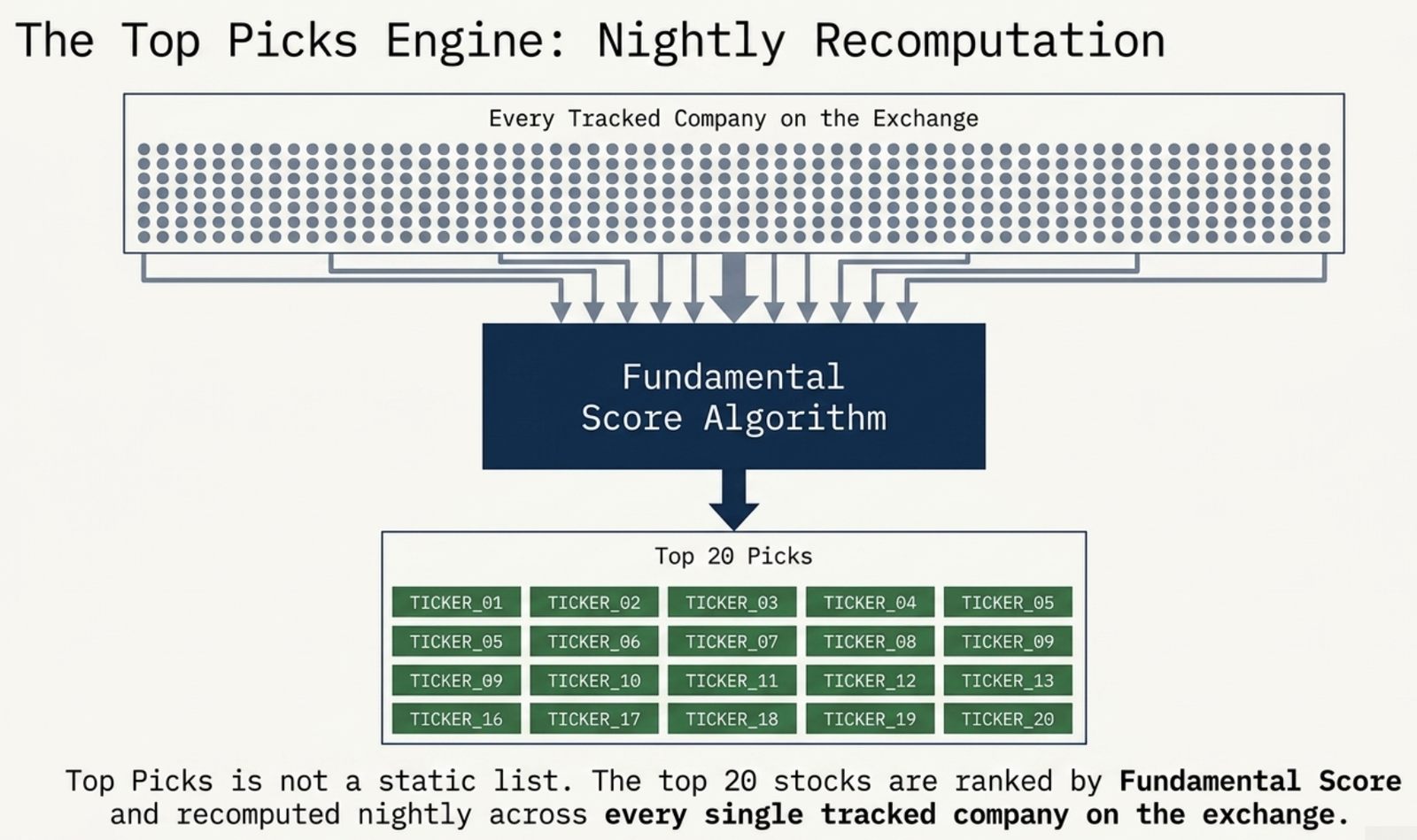
| Ratings & Scorecard | Top Picks (Top 20 by Fundamental Score), All Ratings, and the Finmagine Scorecard |
3. Run Screens — One Click to a Shortlist
Run Screens turns Find Ideas' browsing into precise filtering: 44 ready-made presets — Quality Compounders, Fortress Balance Sheet, Growth Accelerators, and more — each one a filter combination you'd otherwise have to build by hand. Clicking a preset applies it instantly and can narrow the market from thousands of stocks down to a shortlist in one step.
4. Ask AI — Research, Connectors & Your Own Keys
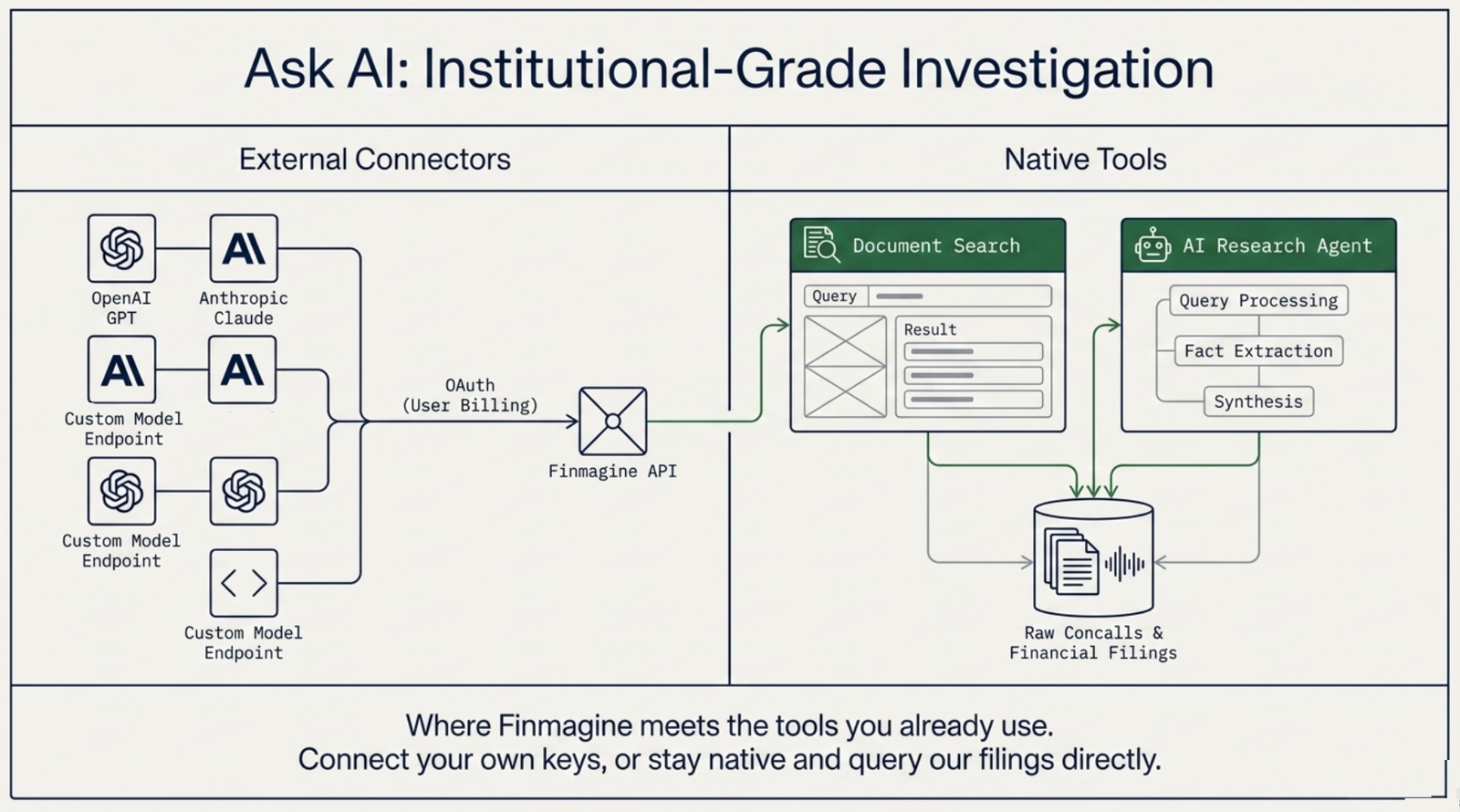
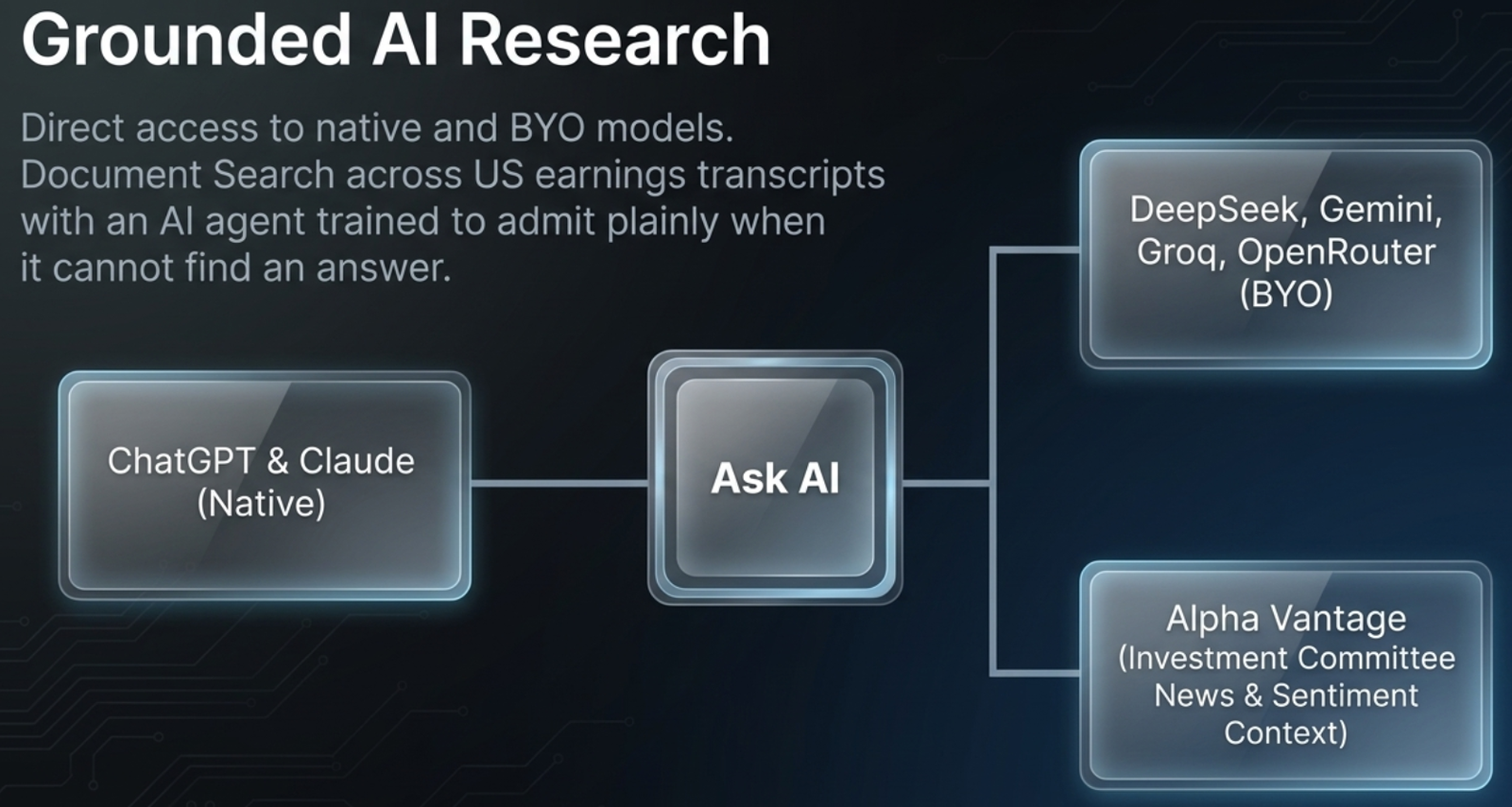
Ask AI is where Finmagine meets the AI tools you already use, alongside native research tools that need no setup:
| Tool | What it does |
|---|---|
| Try Finmagine AI in ChatGPT | A direct connector — ask ChatGPT live questions about any stock, sourced and cited |
| ChatGPT / Claude Setup guides | Connect your own ChatGPT app or Claude via OAuth |
| Document Search | Keyword search across concalls, annual reports & filings |
| AI Research Agent | Cited Q&A over the same filings — tells you what it can't find, too |
| Ask Guides | Cited answers from 400+ Finmagine how-to guides — how to use any feature |
5. Get Set Up — A Live Onboarding Checklist
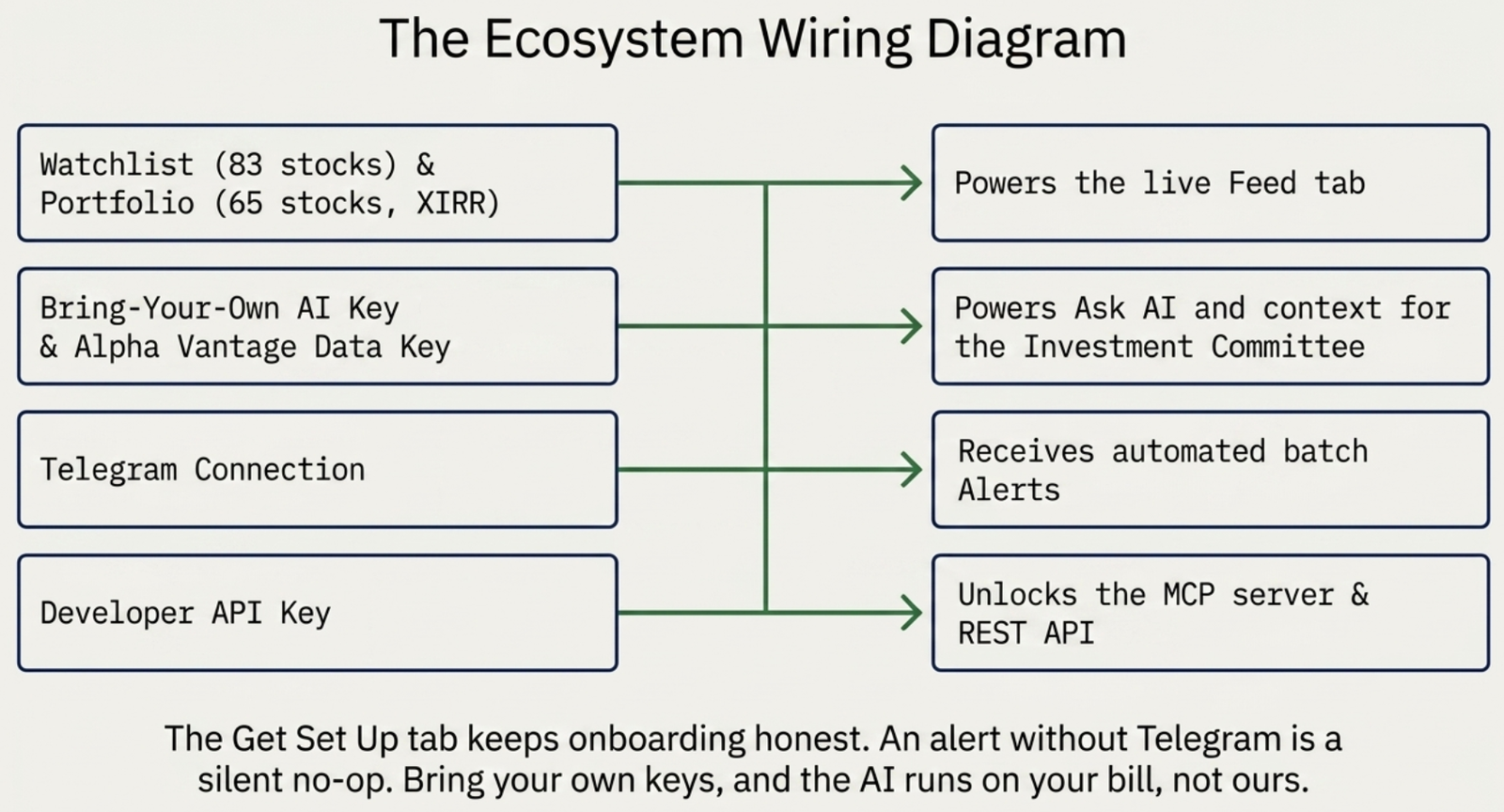
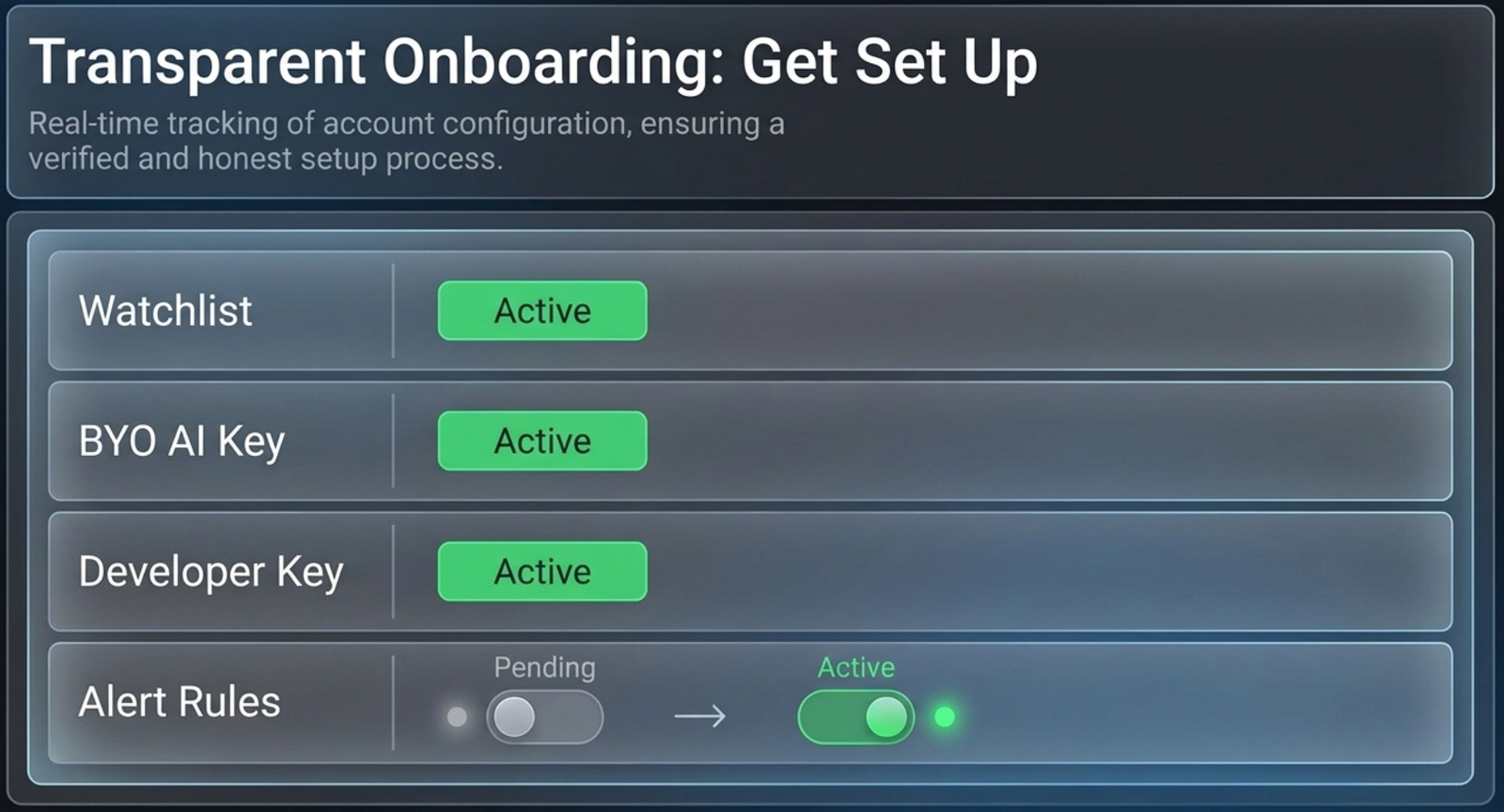
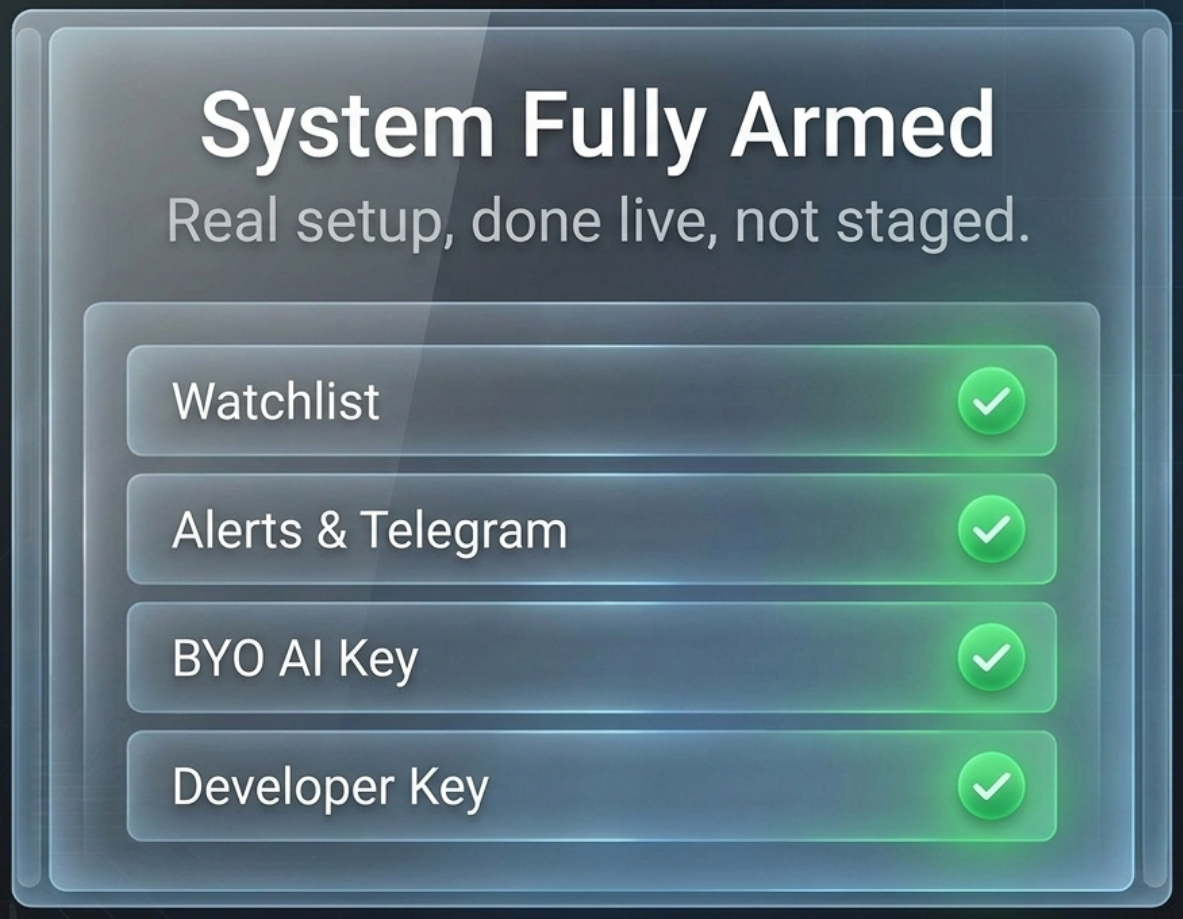
The last tab is a always-visible checklist of the four things that make the rest of the Hub actually work, with a badge showing how many are still pending:
| Item | Why it matters |
|---|---|
| Watchlist / Portfolio | Powers the Feed tab — no watchlist stocks, no activity to report |
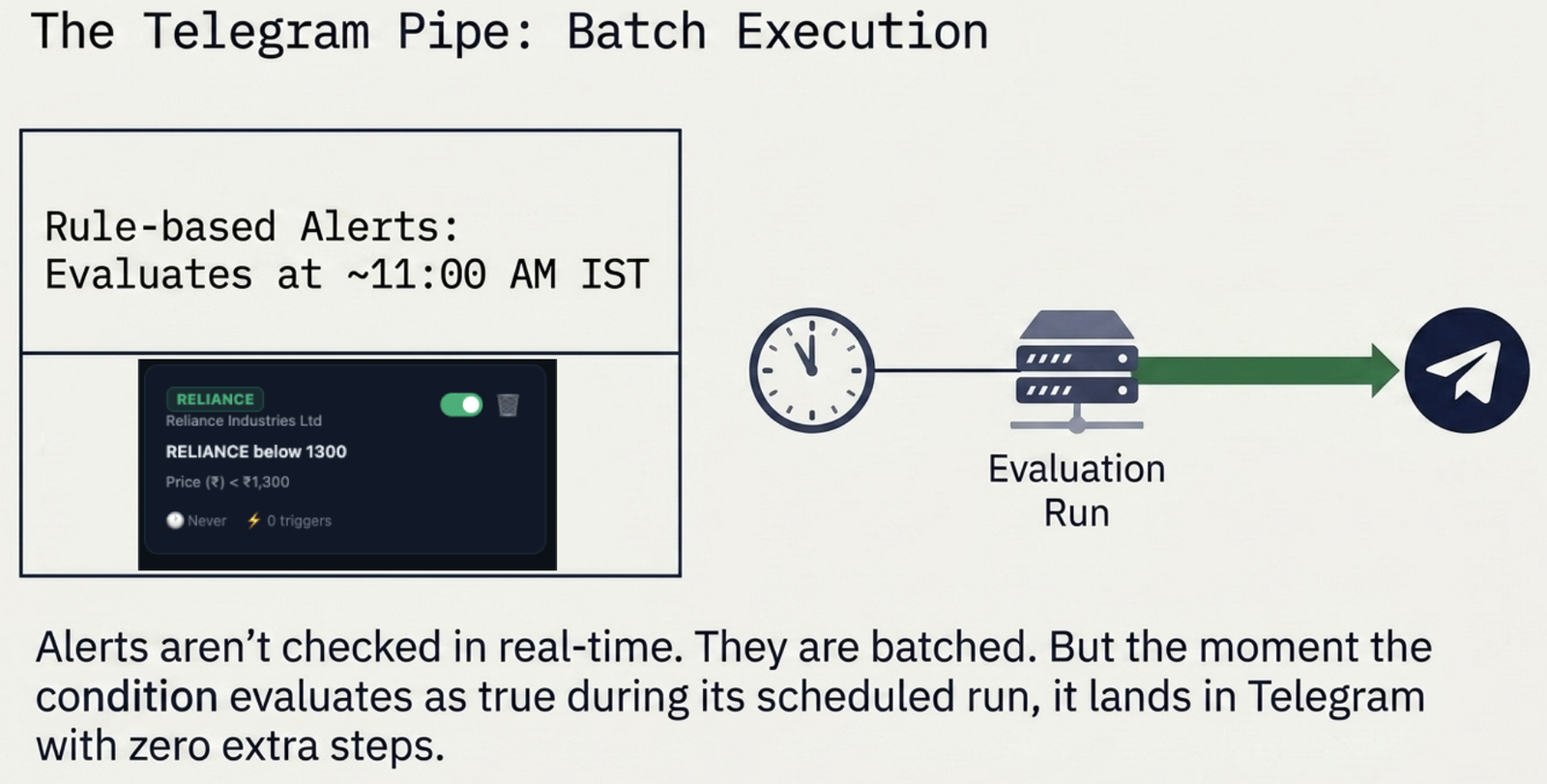
| Alerts + Telegram | Delivery is Telegram-only; alert rules without a Telegram link are a silent no-op |
| Bring-Your-Own AI Key | Runs AI Advisor and Ask AI features on your own key, not Finmagine's bill |
| Finmagine Developer API Key | For building against the MCP server or REST API directly |
6. Extend Finmagine — Add-ons & Extensions
The newest tab, 🧩 Extend Finmagine, is the one place that links to every way of using Finmagine outside the website. Nothing here is required — it is optional, and it only links out to each product's own page, where you can read more or install it. Spreadsheet add-ons come first, Chrome extensions second.
| Product | What it does | Where it works |
|---|---|---|
| Finmagine for Sheets | Indian and US stock data as live formulas in Google Sheets, with a one-click sample workbook. Available now. | India + US |
| Finmagine for Excel | The same formulas for Microsoft Excel. Shown as Coming soon — no install link until it is released. | India + US |
| AI Advisor | Builds institutional-grade AI research prompts from a company's financials. | India + US/global · Chrome, desktop |
| Chart Builder | Turns financial tables into interactive charts, health scores, and DuPont and valuation views. | India + US/global · Chrome, desktop |
| Finmagine Trader | Scans NSE stocks daily for Stage 2 breakouts, VCP setups, near-52-week highs, and volume surges. | India (NSE) only · Chrome, desktop |
| Portfolio Manager | Tracks every broker position separately, with per-broker stop-loss, XIRR, and live prices. | India portfolios; US/global assets supported · Chrome, desktop |
Each card has an Install button (where one is available), a Learn more link to the product's page, and, for the Chrome extensions, a Guide link to a how-to article. The Chrome extensions need desktop Chrome. Finmagine Trader covers Indian markets only, and the US Hub shows it with that label rather than hiding it.
?tab= to the address — ?tab=addons opens Extend Finmagine directly, and feed, ideas, screens, connect (Ask AI), and setup work the same way, for example /stock/?tab=setup. The address updates as you switch tabs, so copying it shares or bookmarks exactly where you are. You need to be logged in to see the tabs.
The Ultimate Finmagine Workflow
Six tabs, one cohesive investment machine — the output of one tab becomes the input for the next, and Extend Finmagine takes the same data into your spreadsheet or browser:
Ready to Analyse Indian Stocks Like a Pro?
Finmagine gives you 30+ computed financial ratios, sector benchmarks, FII/DII flows, the Finmagine Score, and AI-powered analysis — all in one place.