Published: September 12, 2026 | 6 min read | Workflow Guide | Developer & Agent Builder
Everything demonstrated elsewhere in this series can also just be built. The Finmagine Developer Portal turns the platform into API and MCP building blocks — for a script, a Claude connector, or an autonomous trading agent. This workflow follows one request through all four layers: a single live call, a chained recipe, a real multi-agent research run, and the same start/poll/report API that powers Investment Committee — proof that a person clicking through the UI and an unattended agent are running on the exact same backend.
Not investment advice. This video demonstrates platform functionality only, using real live data and a real live API key at the time of recording. Nothing shown constitutes a recommendation to buy, sell, or hold any security — please do your own research or consult a SEBI-registered investment adviser.
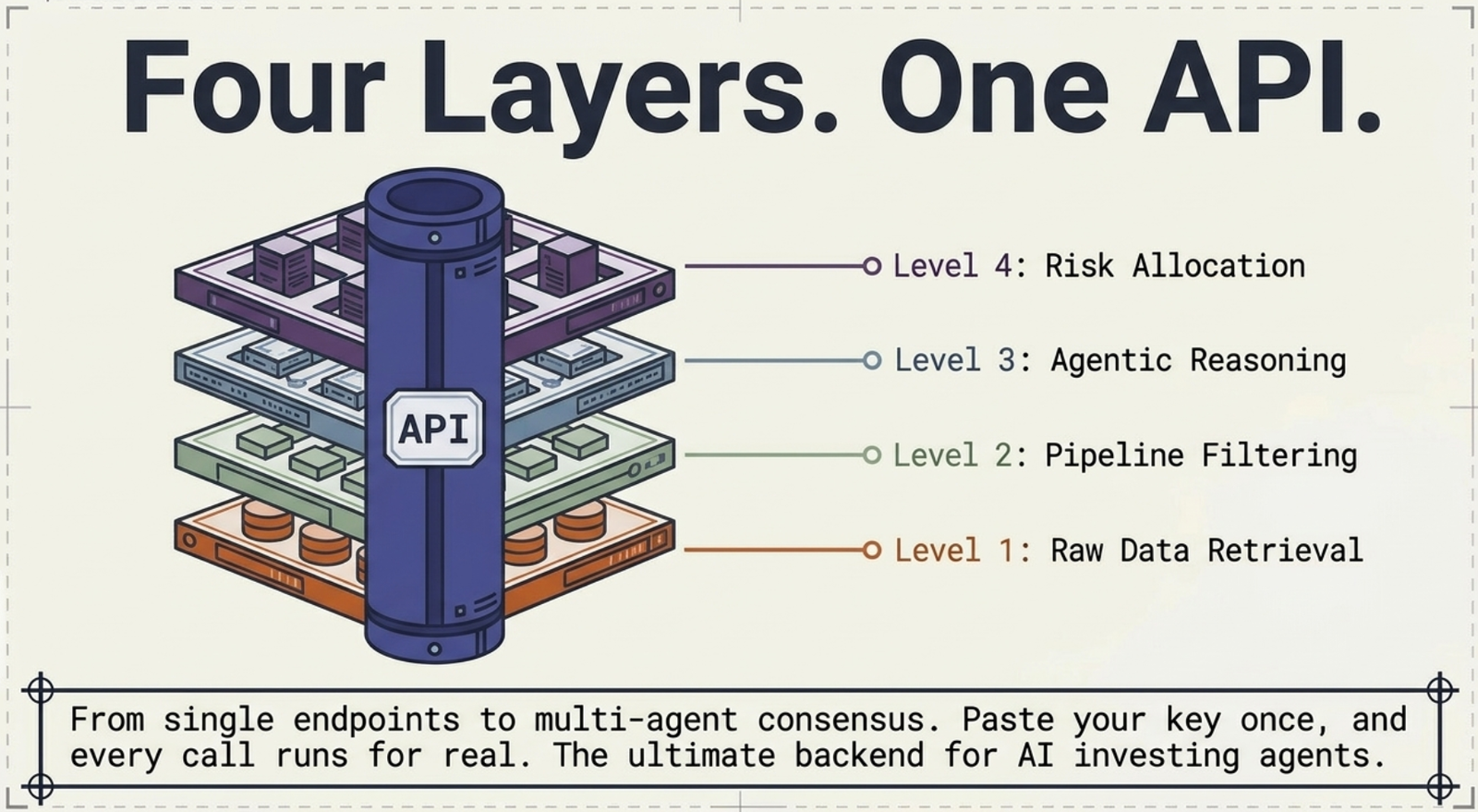
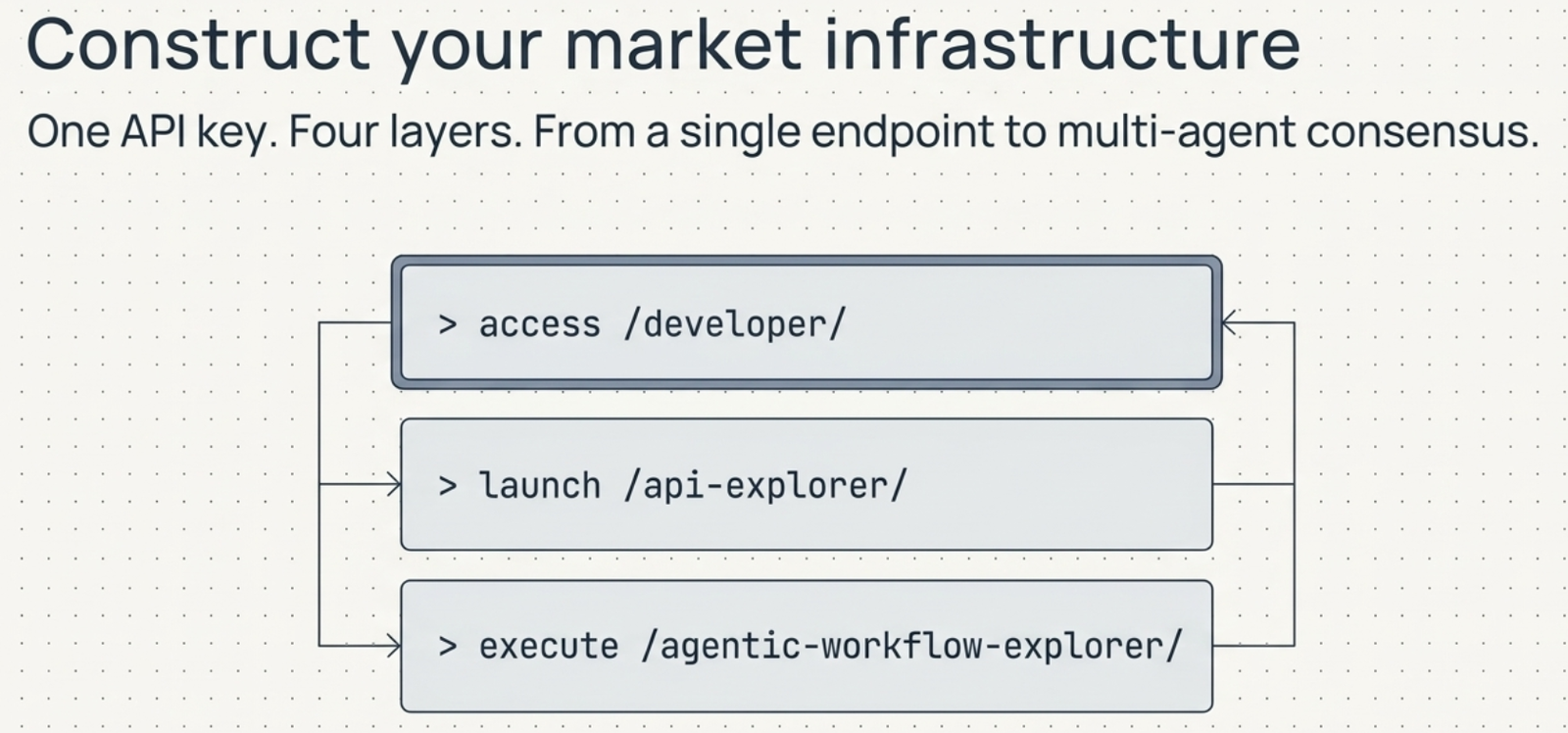
From a single endpoint to multi-agent consensus — one API key, four layers of increasing abstraction.
The Four Layers
1. Explorer — building blocks
1
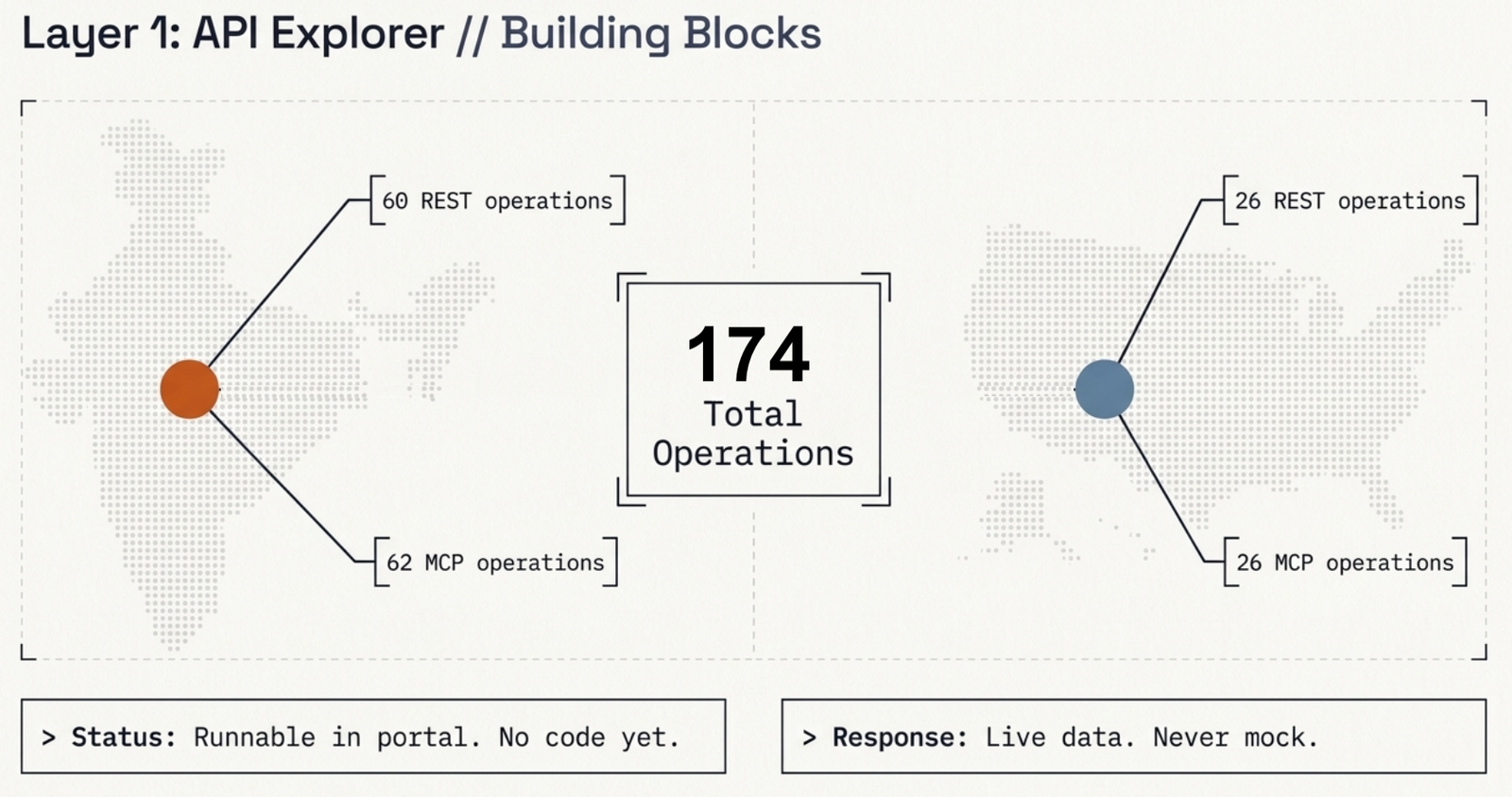
Under Explorer in the Developer Portal, paste an API key once and run any operation directly in the browser — no code required to see a real response. Across Indian and US markets combined, that's 174 operations (60 REST + 62 MCP for India, 26 REST + 26 MCP for the US), and every call returns live data, never a mock.
174 operations across both markets — runnable in-browser before writing a single line of code.
2. Workflows — chained calls
2
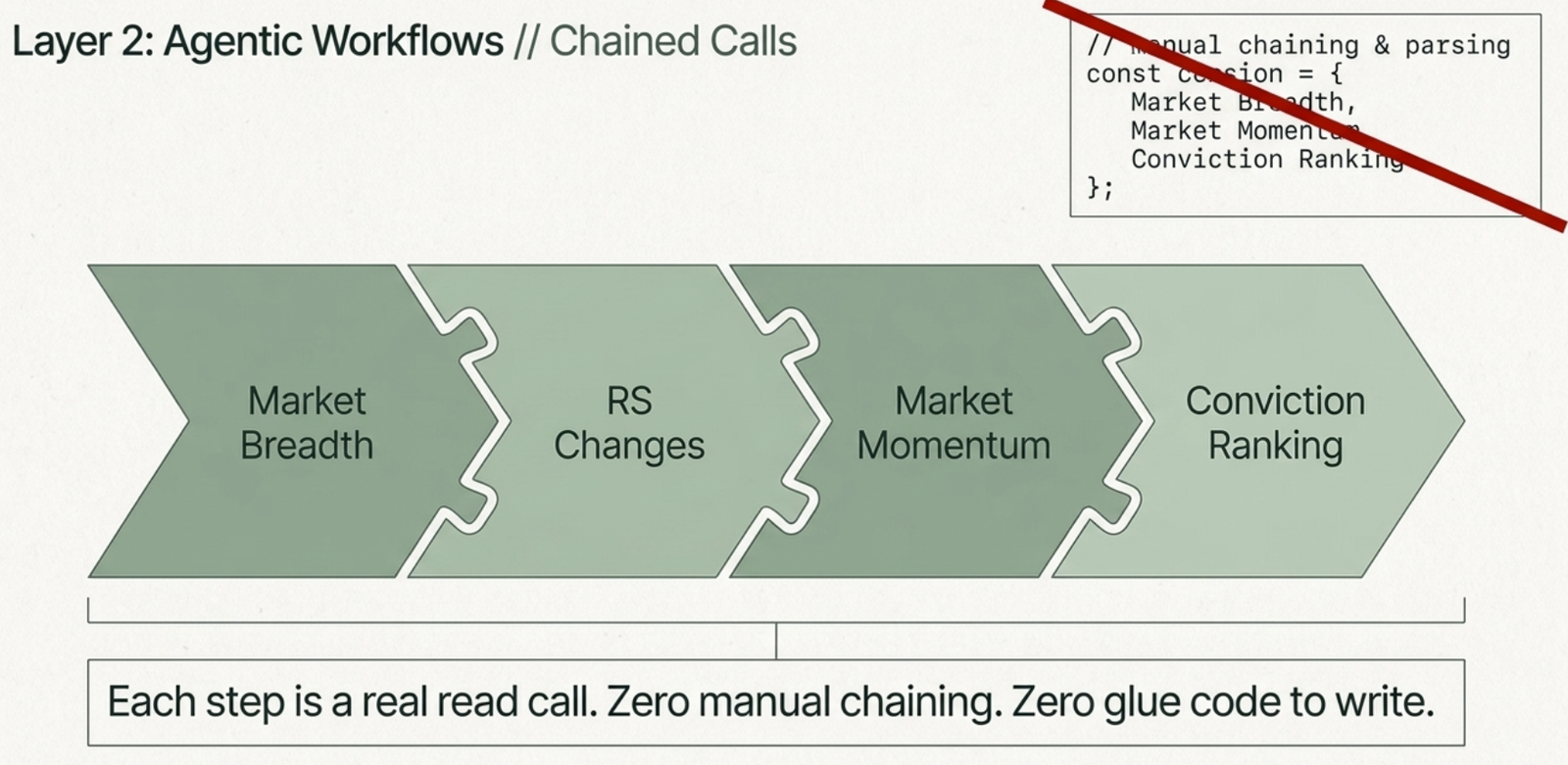
Real agent work is rarely one call — it's a chain. Under Workflows, a named recipe like India Momentum Setup runs a pre-built four-step sequence — market breadth, RS changes, market momentum, conviction ranking — in order, with each step a real independent read call. No manual chaining, no glue code to write.
The "India Momentum Setup" recipe — four real read calls, chained automatically.
3. Strategy Lab — reasoning
3
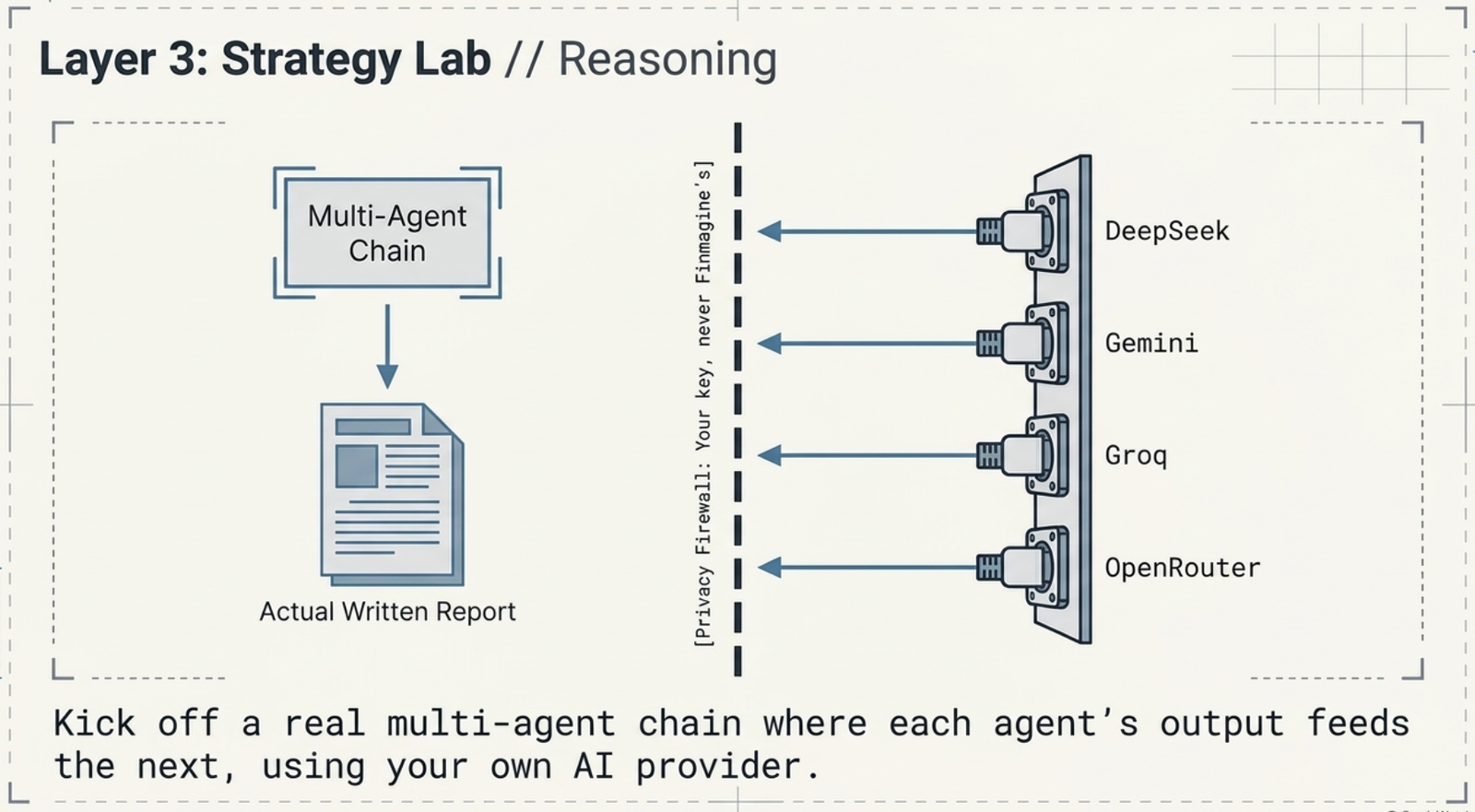
For actual reasoning rather than data retrieval, Strategy Lab kicks off a real multi-agent chain using your own AI provider key — DeepSeek, Gemini, Groq, or OpenRouter, never a Finmagine-paid key. Each agent's output feeds the next, ending in an actual written report, not a canned answer.
Your key, never Finmagine's — the multi-agent chain runs against the AI provider you choose.
4. Investment Committee — consensus
4
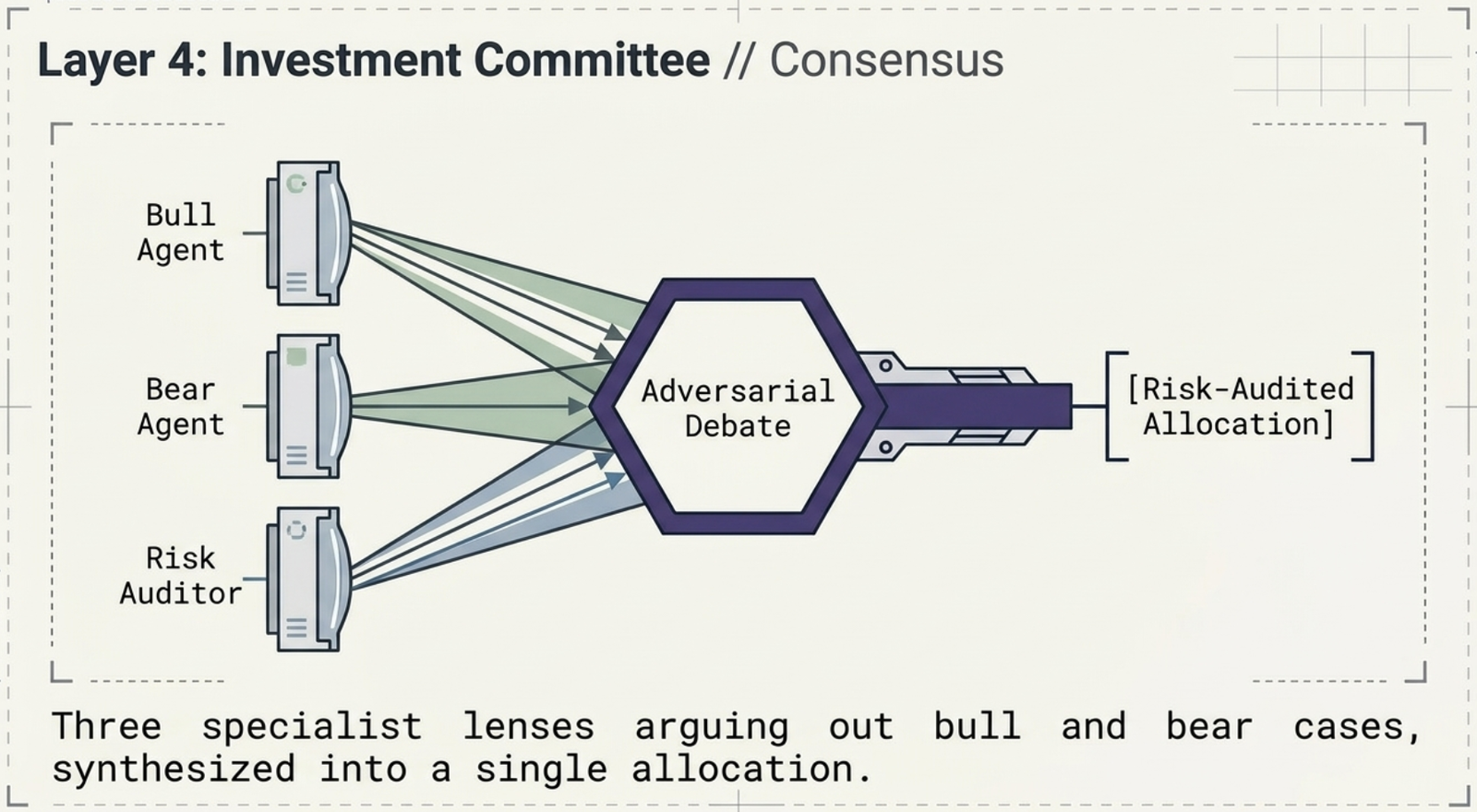
Strategy Lab's second tab runs on the exact same infrastructure as Investment Committee: three specialist lenses arguing out a bull and bear case, synthesized into a risk-audited allocation. The workflow underneath is start a run, poll for status, pull the report — the same pattern whether it's a person watching a progress bar or an agent running it unattended, on a schedule, with no one clicking through a UI at all.
Three specialist lenses argue bull and bear cases; a risk audit turns the debate into an allocation.
Why this closes the series' last founding workflow: Long-Term Investor, Swing Trading, and Earnings Season all show what the platform does for a person. This one shows the same platform is also just an API — the Investment Committee run demonstrated end-to-end in the Smart Screener workflow is available to script, schedule, and run unattended, using the identical start/poll/report cycle shown here.
🇺🇸 Now Live for US Markets
The same four layers — a single live call, a chained recipe, a real multi-agent research run, and the async start/poll/report pattern behind Investment Committee — now run end to end on US market data too, through the exact same Developer Portal at /developer/.
Not investment advice. This video demonstrates platform functionality only, using a real live API key at the time of recording. Nothing shown constitutes a recommendation to buy, sell, or hold any security — please do your own research before acting.
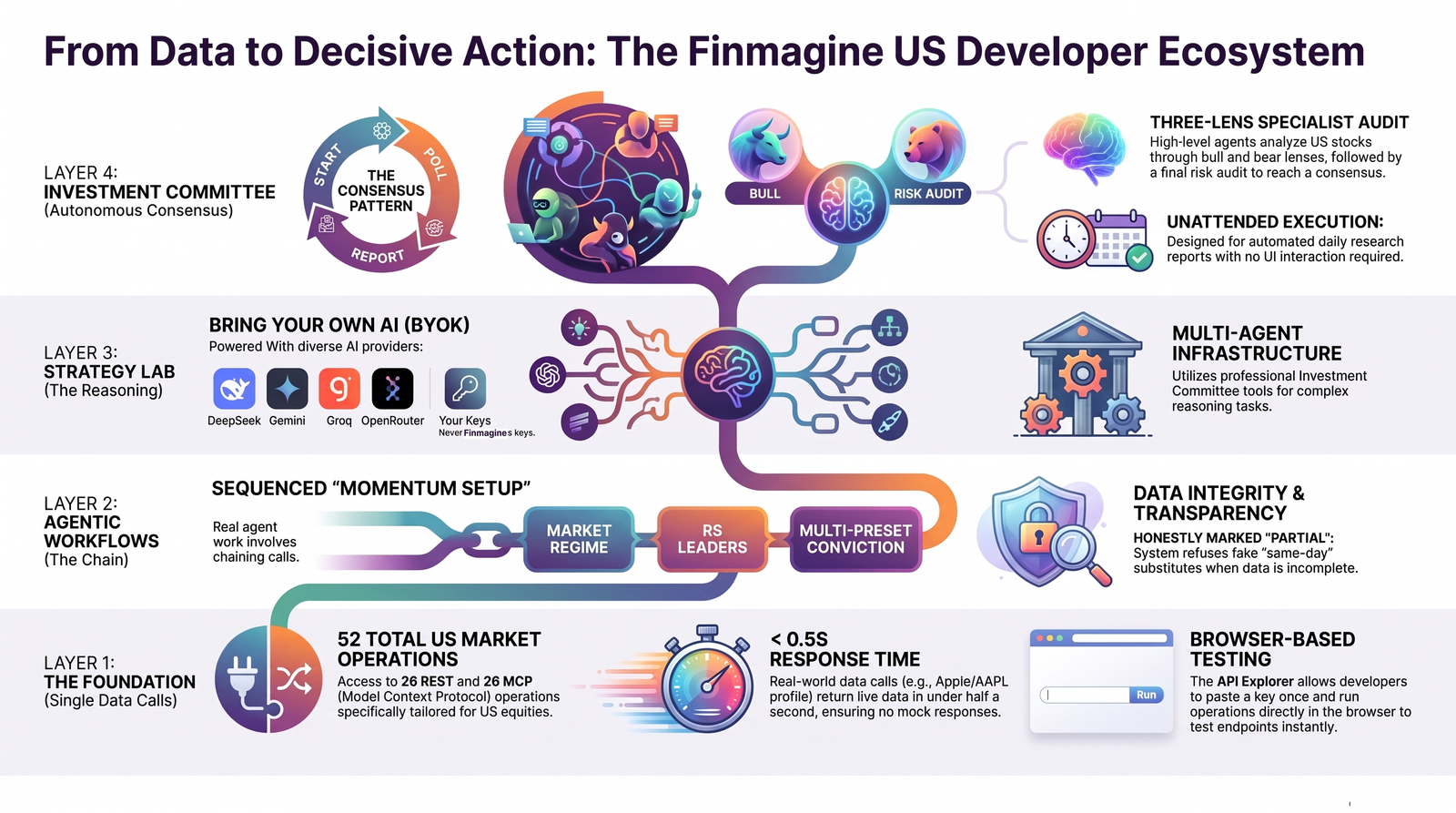
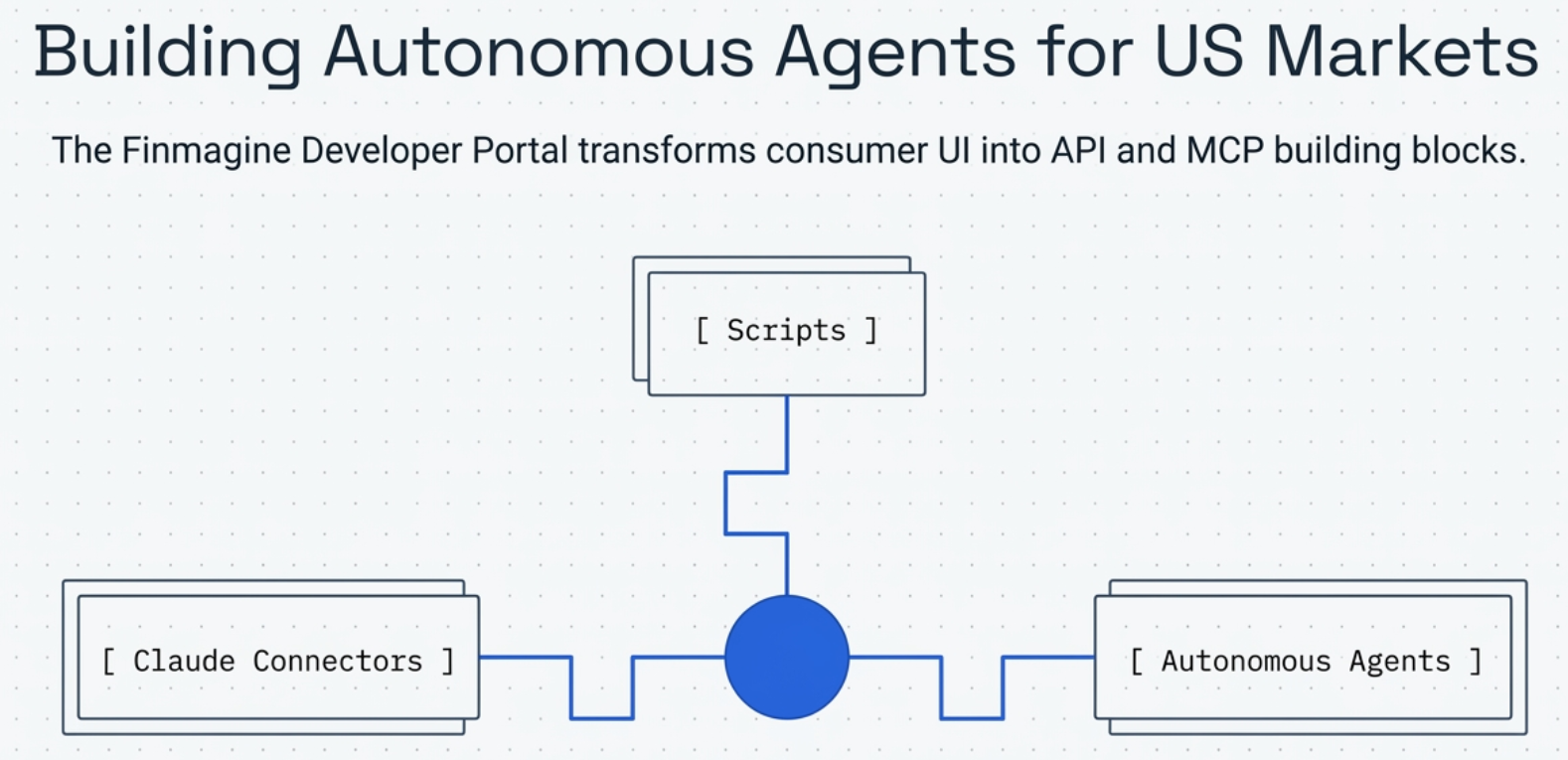
The US developer stack at a glance: one API key scaling from a single endpoint to multi-agent consensus.The same platform, exposed as building blocks: for a script, a Claude connector, or an autonomous agent.
1. Explorer — building blocks (US)
1
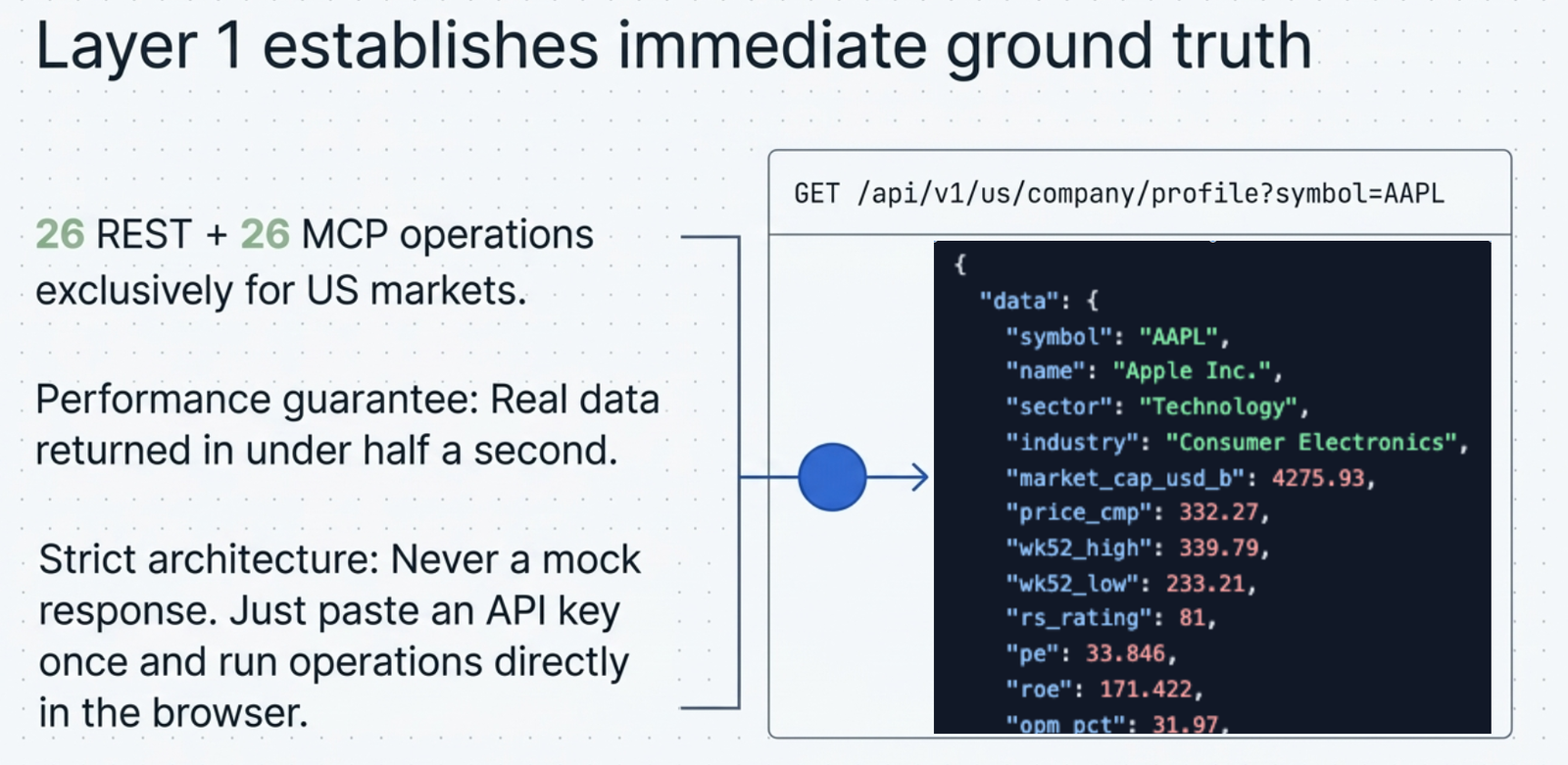
Under Explorer in the Developer Portal, paste an API key once and run any operation directly in the browser — no code required to see a real response. For US markets alone, that's 26 REST + 26 MCP operations, and every call returns live data, never a mock. A live call for Apple returns real data in under half a second.
The real, live response for AAPL — exact values captured from the actual API call, not a mock.
2. Workflows — chained calls (US)
2
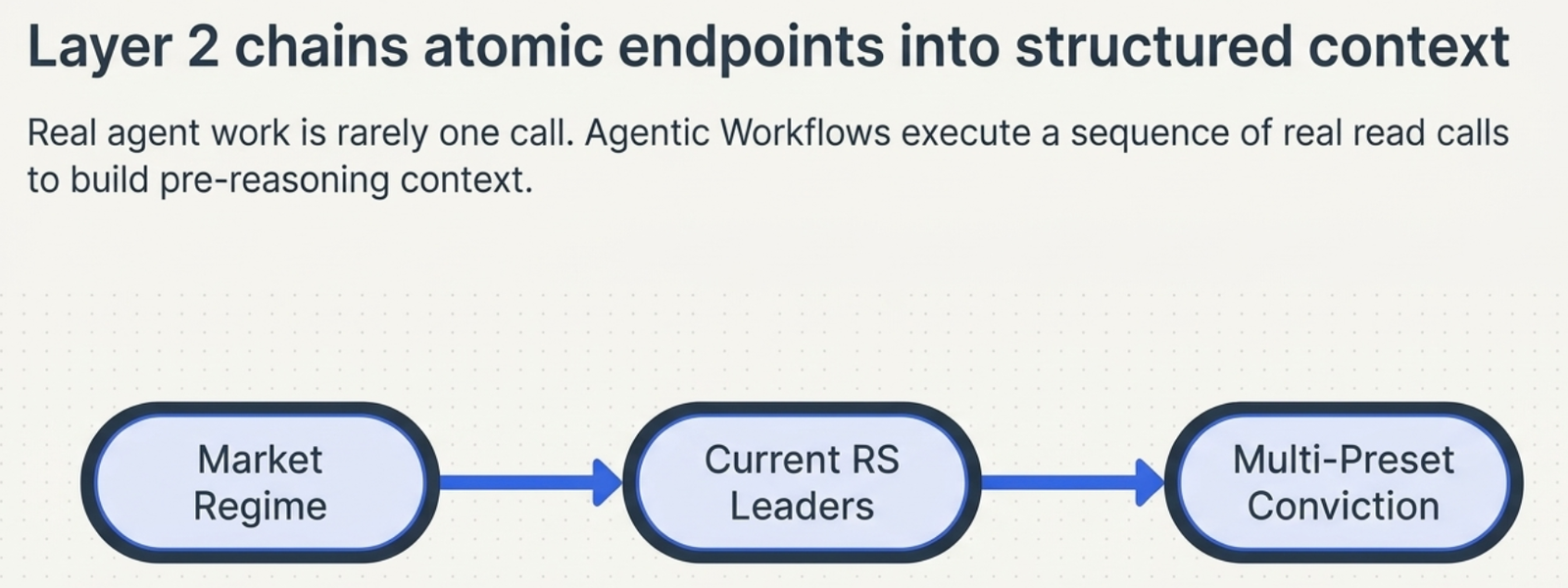
Real agent work is rarely one call — it's a chain. Under Workflows, US: Momentum Setup runs three real read calls in sequence: market regime, current RS leaders, and multi-preset conviction. No manual chaining, no glue code to write.
The "US: Momentum Setup" recipe — three real read calls, chained automatically.
3. Honestly marked "partial" — the gap, stated plainly
3
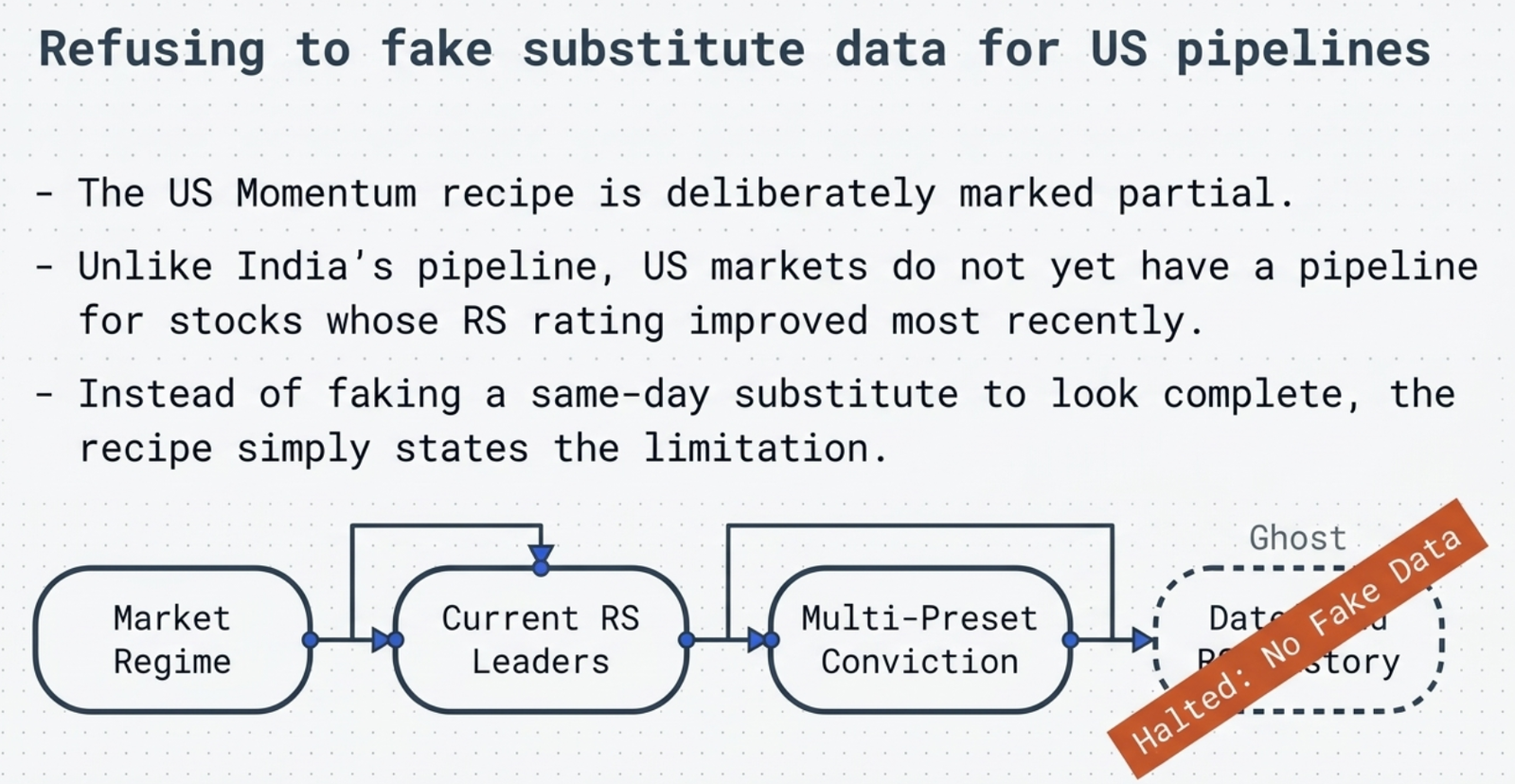
This recipe is deliberately marked partial. India's version has a fourth step — stocks whose RS rating improved most recently — that US markets don't have yet, because there's no dated RS-history pipeline built for US equities. Rather than fake a same-day substitute to look complete, the recipe simply states the limitation.
The missing fourth step is shown as a halted ghost node — an honest gap, not a hidden one.
4. Strategy Lab — reasoning (US)
4
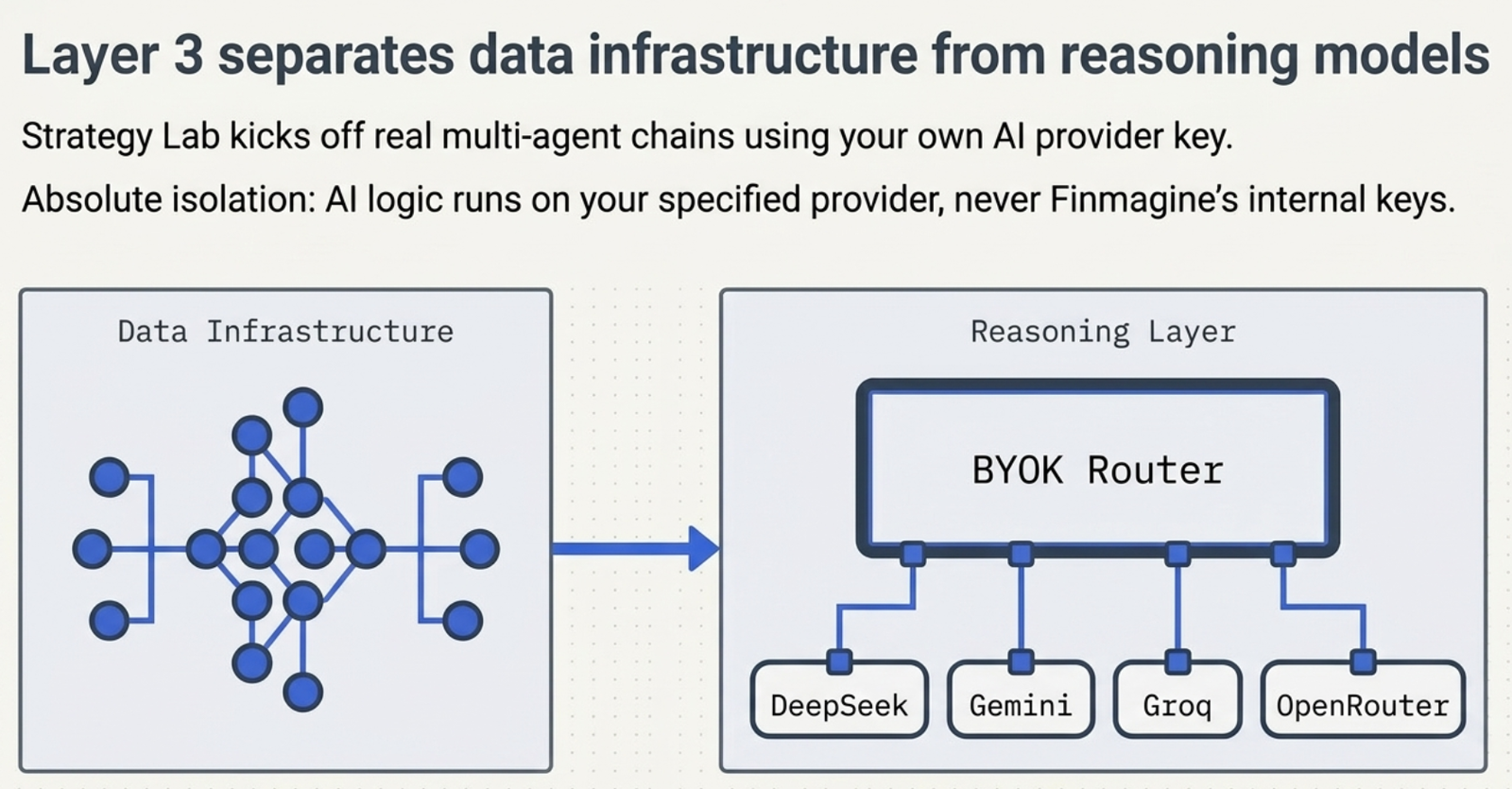
For actual reasoning, Strategy Lab kicks off a real multi-agent chain using your own AI provider key — DeepSeek, Gemini, Groq, or OpenRouter, never Finmagine's. This is the same chain used for the Investment Committee run shown in the Smart Screener workflow.
Your key, never Finmagine's — the multi-agent chain runs against the AI provider you choose.
5. Investment Committee — consensus (US)
5
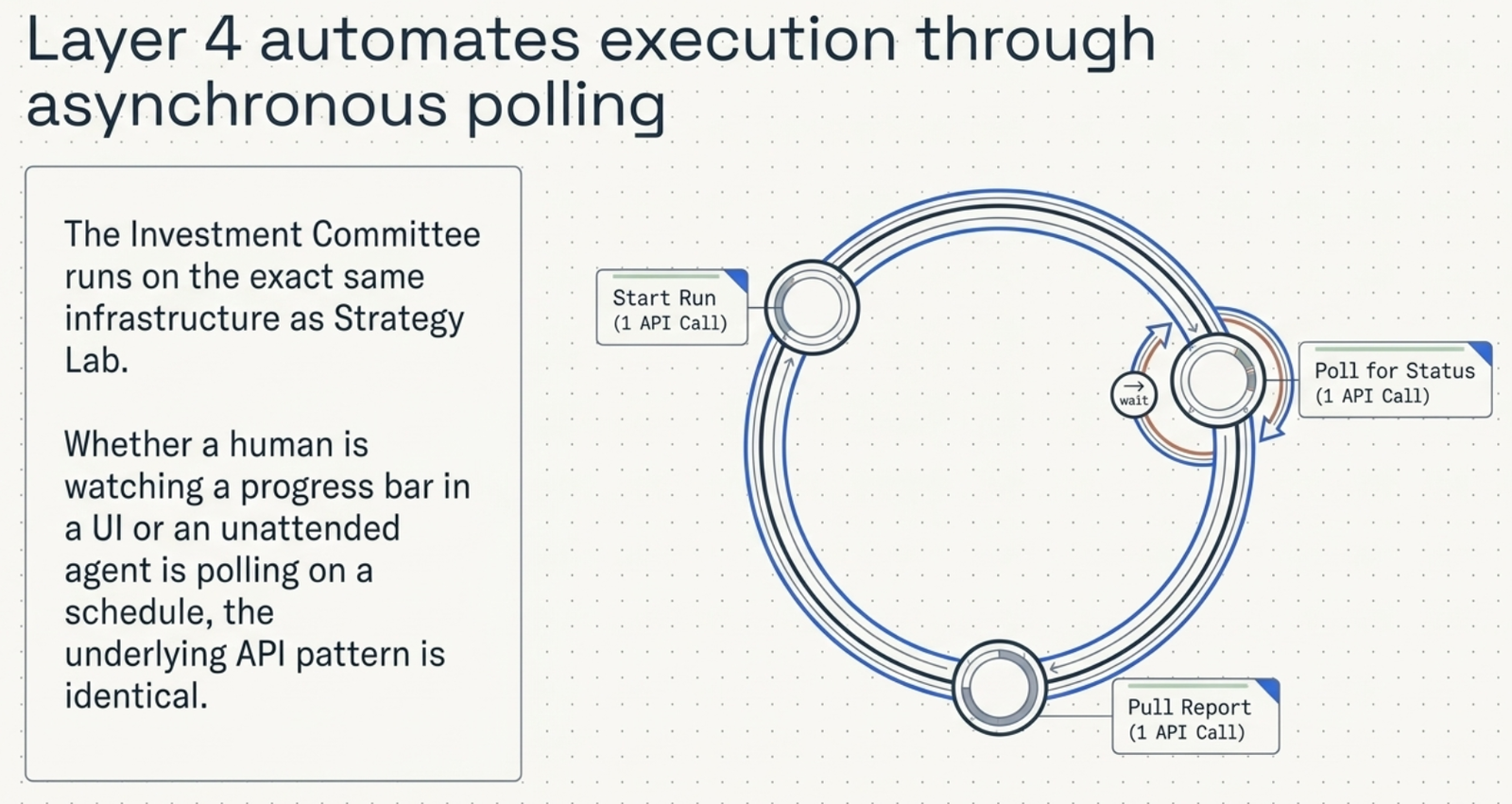
Strategy Lab's second tab runs on the exact same infrastructure as Investment Committee, for US stocks or Indian ones. Underneath, it's one API call to start the run, one to poll for status, one to pull the report — the same pattern whether a person is watching a progress bar or an agent is running it unattended, on a schedule, with nobody clicking through a UI at all.
Start, poll, report — one API call each, identical whether a human or an unattended agent is running it.
Why this closes the series' last founding workflow: every other US retelling in this series shows what the platform does for a person clicking through it. This one shows the same platform is also just an API — the exact Investment Committee run demonstrated end-to-end in the Smart Screener workflow is available to script, schedule, and run unattended, using the identical start/poll/report cycle shown here, for either market.
One API key, four layers — from a single endpoint to multi-agent consensus.