Two ways to connect Claude — this is the OAuth one
The Getting Started guide covers the fast path: paste a connector URL with your API key baked in (?apiKey=fmk_...). This guide covers the other one — a custom connector with a real OAuth login, the same mechanism ChatGPT uses. No API key to copy, paste, or rotate — you log into Finmagine once, and Claude gets a token scoped to your account.
Why bother with OAuth if the API-key method already works? Two reasons: it shows up on your
Connected Apps page (the API-key method never does — see the
Connected Apps & Auth Types guide), and Claude gives you granular per-tool permission controls (Always allow / Ask / Never) instead of an all-or-nothing key.
Setup, step by step
Step 1
Add a custom connector
In claude.ai, go to Settings → Connectors → Add → Add custom connector.
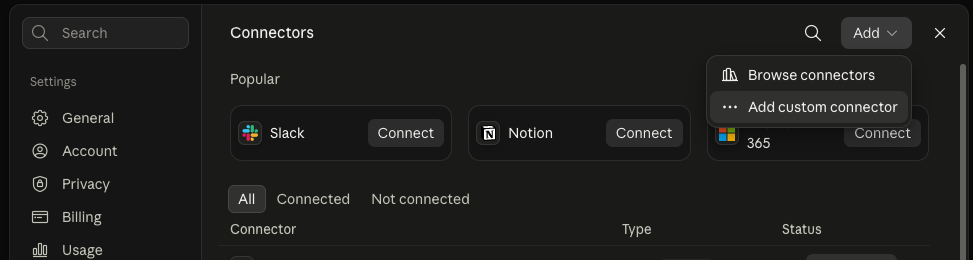
Settings → Connectors → Add → Add custom connector.
Step 2
Enter the server details
Name: Finmagine. URL: https://finmagine.com/api/mcp.php. Click Continue.
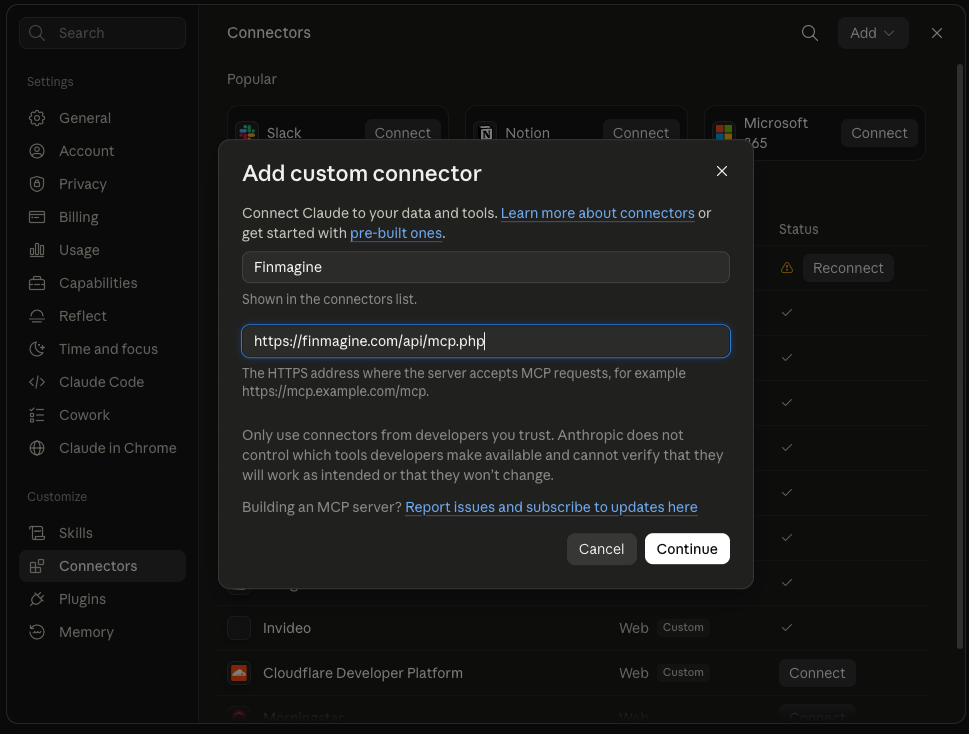
No API key in the URL — just the bare MCP endpoint. Authentication is handled separately, next step.
Step 3
Choose "Use your own OAuth client"
Not the recommended default — see the warning below.
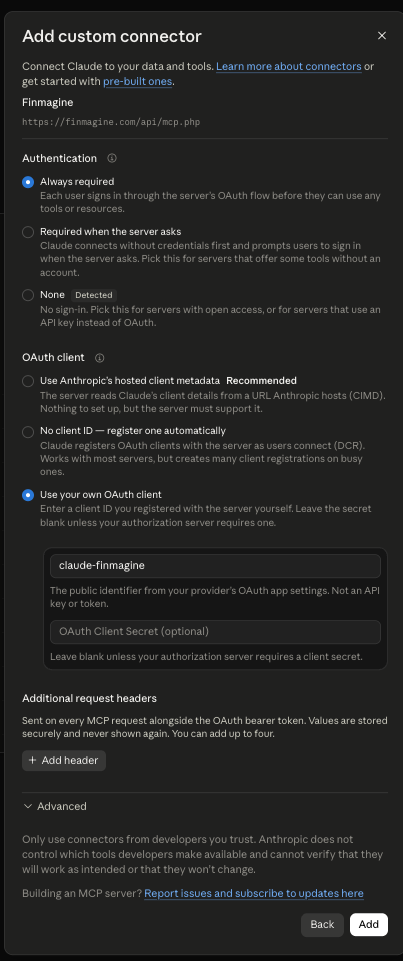
Ignore the "Recommended" badge on the first option — pick "Use your own OAuth client" instead (see below).
Important — don't use the recommended option. Claude's dialog defaults to "Use Anthropic's hosted client metadata" (CIMD), but Finmagine's OAuth server doesn't support that (or automatic registration/DCR — the middle option). Select "Use your own OAuth client", enter Client ID claude-finmagine, and leave the secret field blank.
Step 4
Connect
Click Connect on the new Finmagine connector entry.
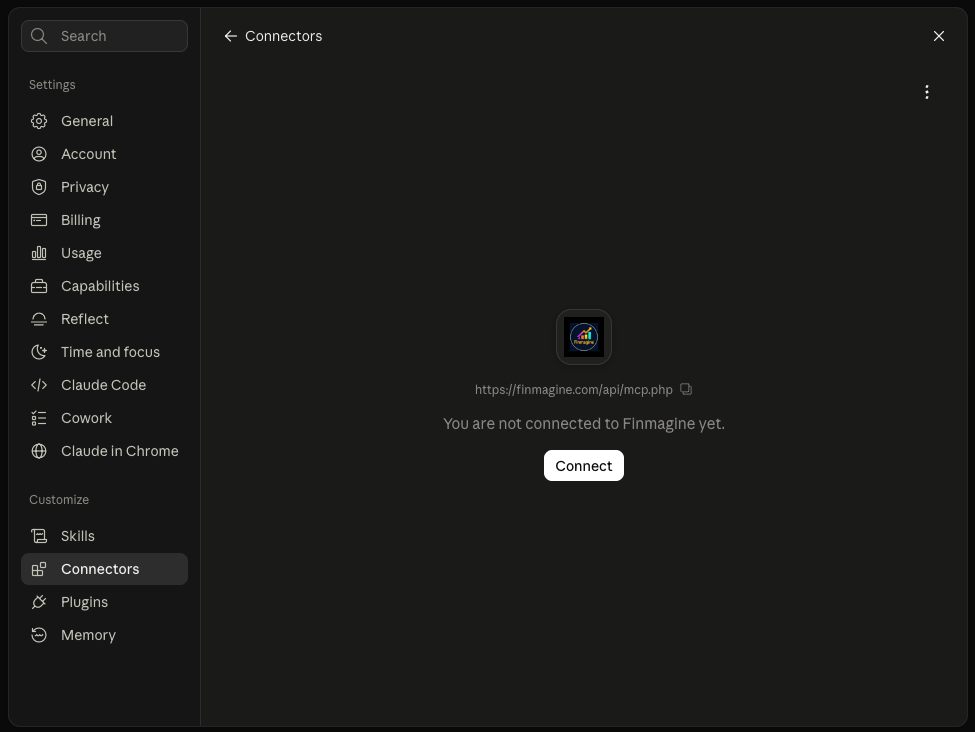
Click Connect to start the real login/consent flow.
Step 5
Log in and approve
Sign into Finmagine, then approve the requested access on the consent screen.
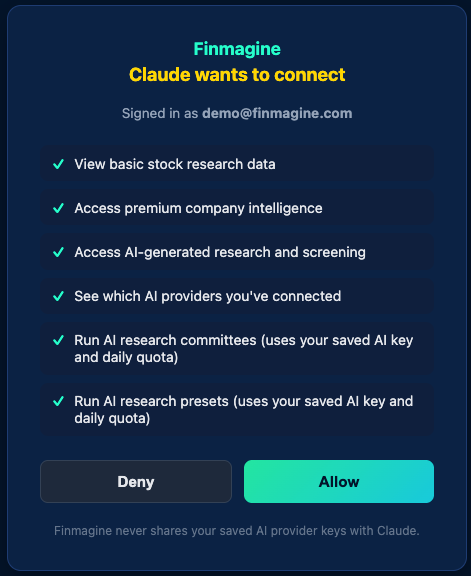
The real consent screen — every requested permission is spelled out before you approve anything.
Step 6
Set tool permissions
Claude lists every available tool individually — Always allow, Ask each time, or Never, per tool.
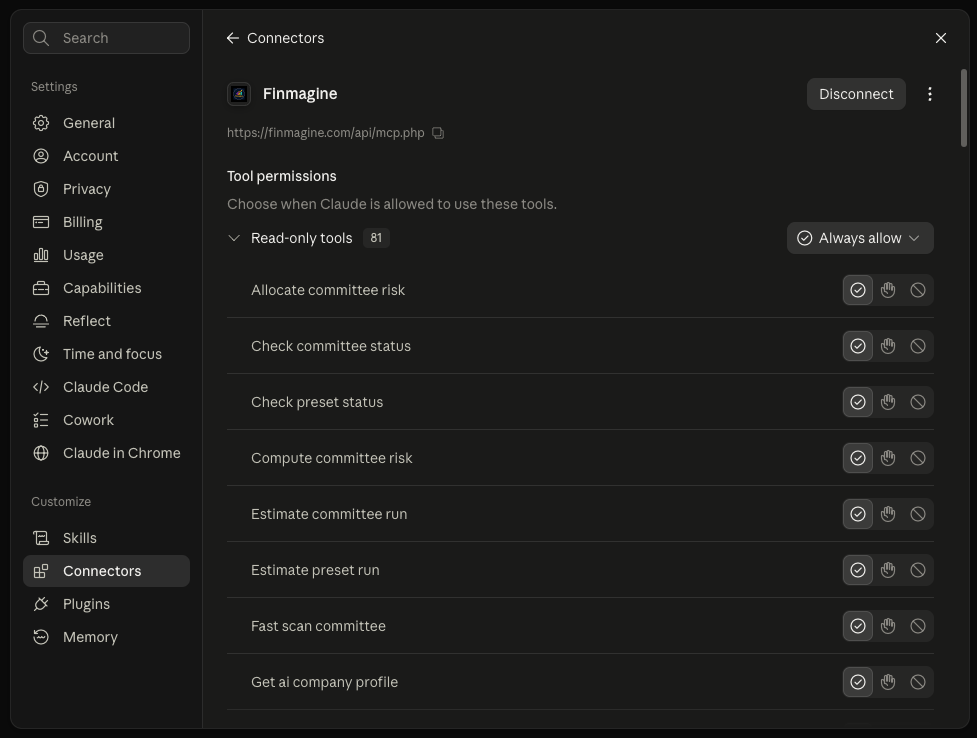
Granular, per-tool control — set once to "Always allow" for the read-only tools, or approve individually as you go.
Once connected, the app shows up on your Connected Apps page labeled "Claude" — with a Disconnect button if you ever want to revoke access.
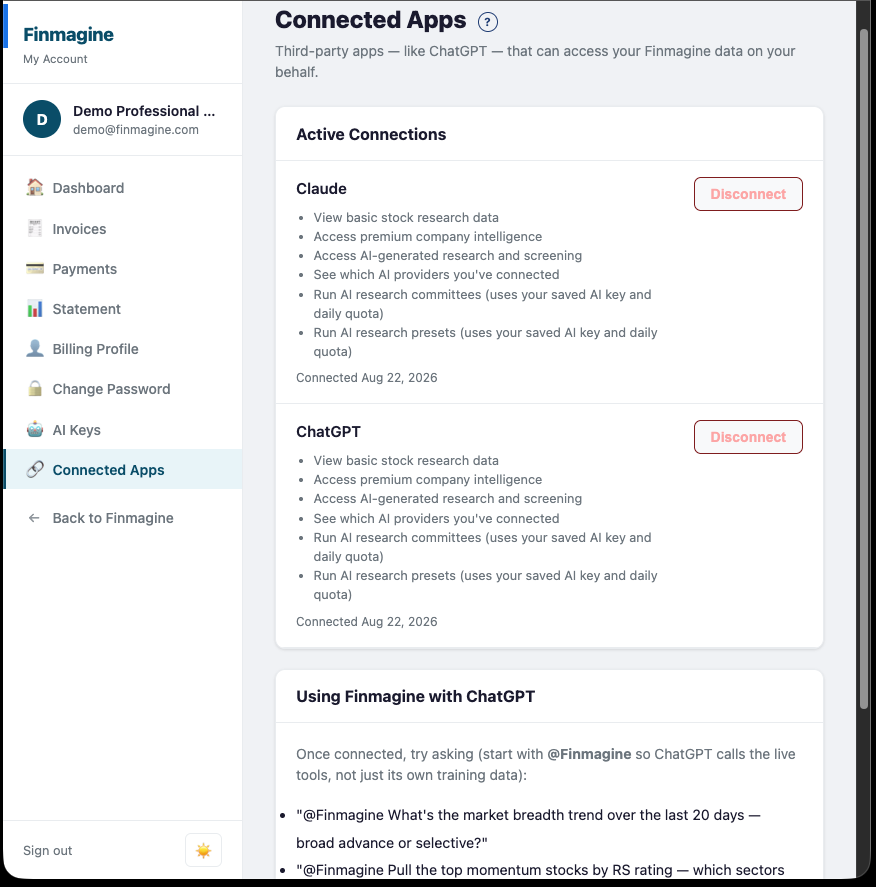
Claude and ChatGPT can both be connected at once — each shows up under its own name, not "Finmagine".
What tier does my Claude connection get?
Your Claude connection uses your existing Finmagine account automatically — if you already have a standalone API Pro or API Max subscription, or a Professional web plan, the connection provisions at that tier from the start. If not, it starts on the free tier.
Premium ≠ API Pro. If you're on Finmagine's
Premium website plan (not Professional), your Claude connection does
not automatically get API-Pro-level access — Premium and API Pro are separate products on separate axes (website features vs. programmatic/agent access). Tools that require Pro will show as gated even though you're a paying subscriber. Professional web subscribers already pass the Pro gate at no extra cost; Premium subscribers would need a standalone
API Pro or Max subscription. Full breakdown:
The Web-Subscriber Bonus Path →
Starter prompts
Once the connector is enabled in a conversation, ask naturally — no special prefix needed (unlike ChatGPT, Claude doesn't require an @-mention to call connected tools):
"What's the market breadth trend for Indian stocks over the last 20 days — broad advance or selective market?"
"Pull the top momentum stocks by RS rating — which sectors are dominating?"
"Screen for profitable mid-cap Indian stocks with low debt and strong momentum."
"Give me Reliance Industries' AI-generated quarterly summary and concall decoder — any red flags in management's tone?"
"Which AI providers do I have connected?"
Quick reference
Why doesn't the "Recommended" OAuth client option work?
It requires Finmagine's server to support CIMD (client_id_metadata_document_supported), which it doesn't declare. "Use your own OAuth client" with the pre-registered claude-finmagine client ID is the correct path.
Do I need a Finmagine API key for this?
No — the OAuth login/consent flow replaces the API key entirely for this connection method. API keys are still used for the URL-based connector setup covered in the
Getting Started guide.
Can I have both Claude and ChatGPT connected at the same time?
Can I disconnect it later?
Yes — click Disconnect on
Connected Apps, or remove the connector from Claude's own settings. Either one revokes access immediately.